- Joined
- Aug 13, 2026
- Messages
- 7
- Reaction score
- 0
Our Grandstream GXP-1625 phones are registering and operating normally, including from remote networks.
However, the Yealink T33G phones show “No Service” when connected from remote networks through our VPN/SBC environment.
The Yealink phones can work when connected within the local network, but they fail to register when used from remote locations.
Multiple Yealink T33G phones are affected, while Grandstream phones continue to operate correctly in the same environment.
Troubleshooting Already Performed
We have already performed the following:
Factory reset the Yealink T33G phones.
Deleted and re-added the phones/extensions in 3CX.
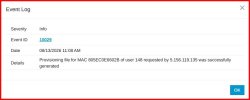
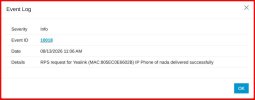
Reprovisioned the phones.
Verified the phone MAC addresses.
Verified that the Windows 3CX SBC service is running.
Verified DNS resolution of the 3CX FQDN.
Verified connectivity from the SBC server to the 3CX cloud PBX
However, the Yealink T33G phones show “No Service” when connected from remote networks through our VPN/SBC environment.
The Yealink phones can work when connected within the local network, but they fail to register when used from remote locations.
Multiple Yealink T33G phones are affected, while Grandstream phones continue to operate correctly in the same environment.
Troubleshooting Already Performed
We have already performed the following:
Factory reset the Yealink T33G phones.
Deleted and re-added the phones/extensions in 3CX.
Reprovisioned the phones.
Verified the phone MAC addresses.
Verified that the Windows 3CX SBC service is running.
Verified DNS resolution of the 3CX FQDN.
Verified connectivity from the SBC server to the 3CX cloud PBX