Solved 3cx - M365 - initial setup, users not syncing

Status
Not open for further replies.

TPR3CX

Customer
Joined
Dec 13, 2018
Messages
88
Reaction score
6
Hi all,

We're looking to setup SSO for Azure to 3cx on-prem.
Completed everything, but none of the users show synced.
Set this up about 36 hours ago and pretty sure my other apps never took this long to sync.
Any firewall ports need to be open from 3cx server to M365?

Thanks,
Jim
 
Hi Jim,

I assume you have configured MS365 correctly and when you enter the "Microsoft 365" menu, you get the "OK" message at the top of the page, correct?
1643707211652.png

If this is the case, in the "User Sync" tab, have you enabled the sync?
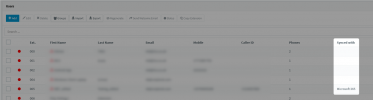
If you have, in the "Users" node, have these extensions been created and are they flagged as "Synced with: Microsoft 365"?
1643707401156.png
 
Hi Jim,

I assume you have configured MS365 correctly and when you enter the "Microsoft 365" menu, you get the "OK" message at the top of the page, correct?
View attachment 27558

If this is the case, in the "User Sync" tab, have you enabled the sync?
If you have, in the "Users" node, have these extensions been created and are they flagged as "Synced with: Microsoft 365"?
View attachment 27559
Hi Nick,

The M365 Menu shows OK, User Sync has been checked, User were already created with same email addresses as Azure AD, but it users don't seem to show as "Synced with M365."

This is where I'm stuck at
Any clues?

Thanks
 
What I would do in this case if possible?
  1. From Settings --> Microsoft 365, uncheck User Sync and SSO to disable these features
  2. Go to "Users" and delete the extensions that do not show "Synced with M365".
  3. Recreate the Users with the Extension Numbers they had before, with random names, but the email should match that of AAD for each user.
  4. Go back to Settings --> Microsoft 365 and re-enable the User Sync and SSO.
  5. Wait a minute, then go back to Users and check if the extensions you re-created now have the right names pulled from AAD and that they show "Synced with M365".
If for whatever reason this does not work, I would also go to Dashboard --> Services, select the Management Console and System Service and restart them, then check "Users" again.
 
Hey Nick,

Looks like it's working now.
Thanks for your help!
 
Status
Not open for further replies.