- Joined
- Aug 30, 2018
- Messages
- 32
- Reaction score
- 2
One of the Windows 3CX PBX instances that we manage is throwing the following error when attempting to connect to the management console.
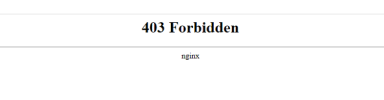
So here is what we know - the error occurs under the following conditions: it doesn't matter what browser is used, whether you attempt to access the PBX internally or externally, by IP address or by way of FQDN, everything results in the same 403 Forbidden Error Message.
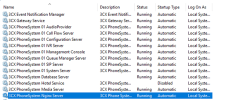
I have manually bounced all of the services and even restarted the server that 3CX is installed on; same error persists.
Some other misc. info that I will share: the call flow on the PBX is still working without issue; meaning, inbound/outbound calls are working just fine. In fact, the backs are still running each night as well. I mean, it seems like the majority of functionality is in tact other than being able to manage the dang thing.
So here is what we know - the error occurs under the following conditions: it doesn't matter what browser is used, whether you attempt to access the PBX internally or externally, by IP address or by way of FQDN, everything results in the same 403 Forbidden Error Message.
I have manually bounced all of the services and even restarted the server that 3CX is installed on; same error persists.
Some other misc. info that I will share: the call flow on the PBX is still working without issue; meaning, inbound/outbound calls are working just fine. In fact, the backs are still running each night as well. I mean, it seems like the majority of functionality is in tact other than being able to manage the dang thing.
- 3CX is running on a Windows VM
- 3CX is v18 Update 4 I believe (Professional)
- The VM is running Windows Server 2019 Standard build 1809 (not hosted in the cloud, this is on-prem)
- IP Phone Make/Models: Yealink headsets (T-42s)
- Firewall Checker Passed
- No recent changes from either a firewall and/or 3CX perspective.