App not ringing

Tedra

SMB User
Joined
Jun 24, 2025
Messages
27
Reaction score
6
3CX on my desktop rings but not the Android app. The Android is on my WiFi.

Recently I when this started happening I would reboot the phone and that fixed it. That does not work anymore. I reinstalled 3CX app and that did not fix it. Unrestricted battery use is on. Keep active is on. After I hang up the Recent call indication in the phone immediately increments, so I think Push is working. App permissions for 3CX are good.
 
  • Sad
Reactions: moniputerPBX
Hi,

If you put the phone on mobile data, does anything change?
 
  • Sad
Reactions: moniputerPBX
I am having the same issue with my Samsung Galaxy phone(s) that has worked fine for years.
 
Ok, what is the solution?
Do not disturb was on. I don't know when it got turned on. Also as I mentioned the ringer would work at least once after rebooting, which kept my focus on the app instead of looking elsewhere. I only discovered this because I installed another SIP app that also didn't ring.
 
Do not disturb was on. I don't know when it got turned on. Also as I mentioned the ringer would work at least once after rebooting, which kept my focus on the app instead of looking elsewhere. I only discovered this because I installed another SIP app that also didn't ring.
Well the phone app ringer is silent when called again.

I had to learn the Keep Active setting quirk. If you open the menu and touch the Keep active it will close and there is no popup. You have just turned it off. If you touch and it opens a pop up, then you can turn it on. There is a small symbol (circle, check-mark) that appears at the left side notification bar when Keep active is on. IMO there should be an obvious indicator that you are turning it off.

One can open settings, brush that Keep active and not be aware your phone won't ring now.
 
Last edited:
  • Like
Reactions: moniputerPBX
App still registered properly, push active etc etc?
 
App still registered properly, push active etc etc?
Sorry I edited my above comment just as you posted. I think it is solved. Until 3CX fixes the app setting I will have to remember to monitor that little symbol to verify Keep active is still on.
 
  • Like
Reactions: Saky
Keep active is still on
Are you sure you have enabled PUSH notifications in the PBX? The Keep active option in the app should not be needed for most networks and phones, it's job is to allow the phone app to call out to the PBX and check if there is a call for it.

Does your phone have full Google services?
 
  • Like
Reactions: Vali_3CX
I cannot find the PUSH setting on the PBX. I am using the free version.

Google Play Services is on
 
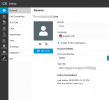
It's per user

1751281057925.png
 
  • Like
Reactions: Evolute IT
Found it, thanks. It's enabled.
 
It is possible that your network/phone does just need the Keep Alive option checked.
 

Members Online Now

Forum statistics

Threads
111,831
Messages
589,277
Members
164,660
Latest member
RJenkinsROCK