Callback calls - no Media in SIP SDP

cmarston

SOHO User
Joined
May 7, 2021
Messages
1
Reaction score
0
When call back are placed we are seeing SIP invites, but there is no audio information in the SDP so the call drops. There is no issue on the same trunk route for inbound and outbound calls. In the problem call flow a caller's number is captured in the 3CX call queue for call back. 3CX calls an available agent, they accept to allow the call back, then the call drops.

The carrier isn't receiving audio information in the SIP call details and they return a 487 message.

How do you force 3CX to always send the call and RTP media details on each call made over a trunk route?
We disabled re-invites in the trunk profile because that was what seemed to cause this issue pre v20.
 
The PBX will not send SDP-less Invites if Re-invites are disabled on the trunk level. I would recommend exporting your trunk using the 3 dots menu on the right of the trunk. Check if "IsSupportReinvite" is disabled. If not then set the value to "0" and save the template.
Delete the existing trunk and then navigate to Advanced --> Templates --> Provider Templates --> Import Templates and import the template back to the PBX.
Please note that this will cause the loss of DIDs and any inbound rules.
 
Yes that seems to be the issue <field name="IsSupportReinvite">1</field>
I will recreate the XML file and we can try that trunk update.
 
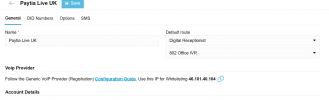
I see no way to add the new template without it starting a new trunk setup. Is it possible to edit an existing active trunk

1761214118250.png
 
This used to be an exposed setting, but 3CX seem to have hidden all these SIP options now. I assume there must be a way to update an existing active trunk profile though?
 
The procedure is the one I described above. You need to export the trunk and make the change. Then delete the existing one and import the template to create a new trunk.
 
OK if we delete the trunk it deletes all DDI numbers assigned, doesn't that then break all the user, group settings etc?
 
Yes it does. You can reimport the DIDs using a csv and you can also reassign them to their destinations at the same time. The format is DID,extension,name, no headers required.

The extension and name are optional fields.

You can also navigate to Reports --> Inbound Rules report and export all your assignments. You can use that info in the file to make a new csv and reimport your DIDs.
 
You understand that there used to be a setting for this on the trunk and in someones infinite wisdom it was replaced with this process. Why? Who in there right mind thought this was a better solution? It has added massive overhead and massive risk. We are dealing with large customised platforms with multiple functions configured.
 
Part of reason some options are no longer visible is so customers don't enable or disable them and ending up breaking other functionality like your case for example. So to prevent support cases which were caused by people changing settings some options were hidden. Users who know what they are doing can recreate a trunk.
 
Surely that is the opposite of my use case, but too late now. I will manuallexpot all our data and prey it reimports.
 

Members Online Now

Forum statistics

Threads
111,831
Messages
589,277
Members
164,660
Latest member
RJenkinsROCK