Dear Mauro, I just saw your question...
Yes, it's possible to run a Commend Intercom device at 3CX. The board you are using is one of the device series "SymBF". You run a rather old firmware and I recommend to update the firmware version to the current version 5.0.4.28. But even with older versions, it should be possible to register and run our device on a 3CX server.
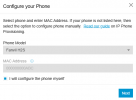
On 3CX side you have to add a hardware phone manually - select "I will configure the phone myself"_
View attachment 47861
Click through the dialogs and finally you will get an overview with an extension number, an authentication ID, an authentication password and for sure the IP or hostname of the 3CX server and the corresponding SIP port.
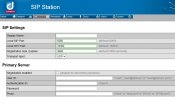
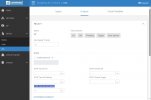
Now you just have to paste these credential and settings to the right parameter fields within the Commend device - looks like this:
View attachment 47862
When saving the changes it takes about 30 seconds to reboot the sip app and the device should be registered and ready to place calls.
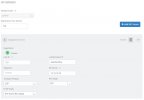
Via "contacts & sequences" you can configure a call destination and assign that to a certain button on your door intercom:
View attachment 47863
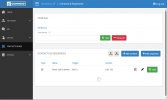
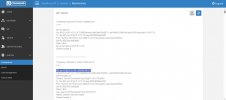
If you want to use a relay to trigger a door contact as well, please select a certain DTMF key under "Device / IOs / Outputs" and set for a relay the corresponding DTMF trigger "DTMF Tone for Door Opener":
View attachment 47864
For higher security, we recommend to set an additional password or use our additional hardware module "IP Secure Connector", with additional relays to be placed inside a building to avoid tampering. There for please contact your local Commend Sales support.
By the way, Commend's new series of Intercom Door stations ("Symphony MX series") with touch screen and built-in camera does also work on 3CX servers. Same principle for configuration, nothing special to be set.