- Joined
- Apr 3, 2019
- Messages
- 198
- Reaction score
- 27
Hello
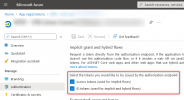
On an hosted instance we're using the M365 SSO integration to connect to the admin console.
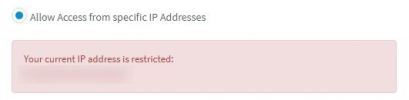
It seems that if you decide to restrict access to the console to your own WAN IP (from the Security menu), then M365 SSO does not work anymore.
So it's not possible to connect to the console anymore using SSO.
I wanted to use my normal admin credentials as an alternative access, but trying to connect via my usual SSO probably did trigger a 2 or 3 failed logins, and that would probably have blacklisted our own WAN IP. (which is too bad since I've just told the system to allow only our own WAN IP to connect)
I'll have now to restore a 3CX server for that reason.
I see 2 features to be added here :
On an hosted instance we're using the M365 SSO integration to connect to the admin console.
It seems that if you decide to restrict access to the console to your own WAN IP (from the Security menu), then M365 SSO does not work anymore.
So it's not possible to connect to the console anymore using SSO.
I wanted to use my normal admin credentials as an alternative access, but trying to connect via my usual SSO probably did trigger a 2 or 3 failed logins, and that would probably have blacklisted our own WAN IP. (which is too bad since I've just told the system to allow only our own WAN IP to connect)
I'll have now to restore a 3CX server for that reason.
I see 2 features to be added here :
- SSO should continue to work if you decide to restrict access per IP (or we should at least get a warning telling us what extra steps we need to take if using SSO)
- when you restrict access to the console to your own WAN IP, that IP should automatically be added to the whitelist so it'll never be blacklisted
(I was almost sure I had our own IP manually whitelisted before, but maybe adding the console access IP restriction did remove it?)