Solved DNS resolution/ Network failure

Status
Not open for further replies.

edokim

Joined
Nov 29, 2017
Messages
49
Reaction score
1
About a week ago we suddenly started getting this error:

Registration at CallCentric has failed.

Destination (sip:[email protected]:5060) is not reachable, DNS error resolving FQDN, or service is not available.​

This eMail was send from an 3CX SMTP Relay Service. If you suspect the service has been used unlawfully and been used outside the scop of delivering 3CX Phone System related e-mails file an abuse report here: https://www.3cx.com/smtpabuse

We are hosting the PBX on Google Cloud, and had not experienced this before. I am not sure where to even start troubleshooting. When this happens, we cannot get calls, but resolves by itself after a few minutes. Ideas?

Thanks in advance.
 
Replace callcentric.com with IP address -- this solved the issue with FQDN for me.
Do nslookup or ping from your 3CX server to learn their IP address and use it into SIP trunk settings.
 
Callcentric advises against changing to a hard IP and suggests instead that I change the DNS servers to:

provided by OpenDNS
Primary DNS: 208.67.222.222
Secondary DNS: 208.67.220.220

provided by Google
Primary DNS: 8.8.8.8
Secondary DNS: 8.8.4.4​

I used PBX Express to install the PBX en Google Cloud, so I am not sure how to change the DNS IPs. Pros/cons to changing DNS servers vs. hard IP?
 
You probably don't want to put in a static IP for a provider (except for testing), unless they say it's OK, just in case their IP changes, which can happen. The problem may be that the current DNS servers you are using, have an issue (at times?), or there was a problem contacting the provider (network issue?).

After the fact, unless it begins again, and you have no network logs available, you may not be certain what it was. Changing the DNS server, allows you to eliminate the current servers as the possible issue, by process of elimination, IF there are no additional problems in the coming months. It may still not mean that it was a DNS issue, unless you change back, and the problem returns.
 
Last edited:
Are you using OpenDNS servers for DNS currently? Do you pay for this service or use the free version? If you are using the free version I think you only get so many DNS calls by IP. I ALWAYS use google DNS and never had any issues resolving.
 
Your PBX should use Google 8.8.8.8 as DNS, but in settings of callcentric SIP trunk use IP address instead of FQDN, the reason is an issue with callcentric FQDN -- incoming and outgoing traffic come from different addresses and as a result your IP becomes blocked by CallCentric for 3 hours. I got rid of the problems when replaced callcentric.com with IP address.
 

Attachments

  • callcentric.png
    callcentric.png
    61.2 KB · Views: 128
@sip.bg, I would presume you are right regarding the current DNS server already being Google 8.8.8.8, given that I am using GCP and left everything in default (as installed by 3CX PBX Express). So, that would rule out that line of action.

I did an nslookup from the server, and it shows Callcentric.com as 204.11.192.170 (and several others), so I am going to try that. The only place I see to make the change is at Management Console / SIP Trunks / General / Registrar/Server/Gateway Hostname or IP. Or are there other places I have to change?
 
Last edited:
@sip.bg, I would presume you are right regarding the current DNS server already being Google 8.8.8.8, given that I am using GCP and left everything in default (as installed by 3CX PBX Express). So, that would rule out that line of action.

I did an nslookup from the server, and it shows Callcentric.com as 204.11.192.170 (and several others), so I am going to try that. The only place I see to make the change is at Management Console / SIP Trunks / General / Registrar/Server/Gateway Hostname or IP. Or are there other places I have to change?
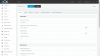
That worked for me - SIP registrar and Outbound proxy, simply replace callcentric.com with IP address:
callcentric2.png
 
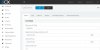
I put the address for Callcentric in both Registrar and Outbound Proxy fields, as indicated; but then only internal calls will work, while external calls will not. I re-started all services after the change, but no joy. Strange that it will not work.

CallCentric SIP.jpg
 
What you mean by internal and external calls?
Internal calls has nothing to do with VoIP providers, if I understood you properly.
Is callcentric registering when you put addresses instead of FQDN in trunk settings?
Your address may be blacklisted by Callcentric, their timeout used to be 3 hours.
You may restart also your router (in front of the PBX in traditional implementation), this eventually could help.
 
Internal calls = 3CX extensions; external = any non-3cx extension. And, yes, CC does register when I put in the IP instead of the FQDN in Trunk Settings, but no joy with external calls. I will try again tonight after hours and wait the 3 hours to see if it does work, and will re-start the router, per your suggestion. Thanks!
 
Callcentric support responded that they did experience issues with their DNS during the timeframe, but that they have been resolved. No more errors since without any changes on my part. Thank you for all the feedback.
 
  • Like
Reactions: YiannisH_3CX
Status
Not open for further replies.

Latest Posts

Forum statistics

Threads
111,881
Messages
589,535
Members
164,739
Latest member
wmlcon