- Joined
- Nov 17, 2020
- Messages
- 25
- Reaction score
- 3
Hi All,
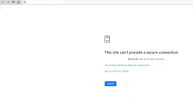
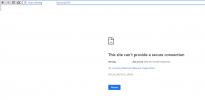
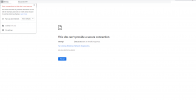
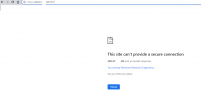
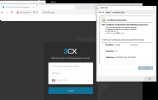
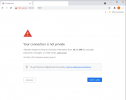
I recently carried out my first fresh install. The system is 90% working but when trying to access the FQDN, I get the above error in chrome. Edge browser elaborates slightly further - "The
connection for this site is not secure"
The phone system is running on a new Intel nuc, which is running the 3cx debian linux software. 3cx version 16.0.8.9
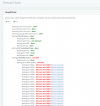
I used a USB-C to ethernet adaptor as the onboard NIC wasn't supported during the installation. Default ports for everything are being used, and I'm not using a 3rd party for the FQDN. There were no errors during the installation. The router is a microtik which I don't have access to, only the ISP does. They were reluctant to open all the ports for the media s erer (9000-10999) So at the moment, the firewall does pass the checks up to the media server ports. I have bene told that they would open the media server ports if requested. They just didn't think the end client would be needing them (they could well be right)
The ISP assures me, that 5001 is open, which I assume is correct as the error is not a timeout error. I enabled the instance manager for this install, which I assume is working? I can access the instance manager from our reseller portal, but it looks like I can only "add note"
Licence is annual, and is a professional licence. Initially, a trial licence was generated so I could do some initial testing before I took all the hardware to site. This was then converted to a professional licence as guided by our reseller partner.
Aside from doing a backup and reinstallation, I don't really know what else to do. I've done a bit of googling and read a few threads on this message board, but hadn't really come across anything that seemed to fit my current situation. I have logged a support request with our reseller partner and their tech support, but I figured it couldn't hurt to post here as well.
Thanks,
Tony
I recently carried out my first fresh install. The system is 90% working but when trying to access the FQDN, I get the above error in chrome. Edge browser elaborates slightly further - "The
connection for this site is not secure"
The phone system is running on a new Intel nuc, which is running the 3cx debian linux software. 3cx version 16.0.8.9
I used a USB-C to ethernet adaptor as the onboard NIC wasn't supported during the installation. Default ports for everything are being used, and I'm not using a 3rd party for the FQDN. There were no errors during the installation. The router is a microtik which I don't have access to, only the ISP does. They were reluctant to open all the ports for the media s erer (9000-10999) So at the moment, the firewall does pass the checks up to the media server ports. I have bene told that they would open the media server ports if requested. They just didn't think the end client would be needing them (they could well be right)
The ISP assures me, that 5001 is open, which I assume is correct as the error is not a timeout error. I enabled the instance manager for this install, which I assume is working? I can access the instance manager from our reseller portal, but it looks like I can only "add note"
Licence is annual, and is a professional licence. Initially, a trial licence was generated so I could do some initial testing before I took all the hardware to site. This was then converted to a professional licence as guided by our reseller partner.
Aside from doing a backup and reinstallation, I don't really know what else to do. I've done a bit of googling and read a few threads on this message board, but hadn't really come across anything that seemed to fit my current situation. I have logged a support request with our reseller partner and their tech support, but I figured it couldn't hurt to post here as well.
Thanks,
Tony