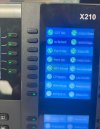
Is this helpful?
2024/08/28 10:32:40.771|0063|Info| [Http] +10.x.x.x GET
http://url:5000/provisioning/*** - - -
2024/08/28 10:32:40.771|0063|Info| [Microsoft.AspNetCore.Mvc.Infrastructure.ControllerActionInvoker] Route matched with {action = "Get", controller = "Provisioning"}. Executing controller action with signature Microsoft.AspNetCore.Mvc.IActionResult Get(ProvisioningLibrary.IProvisioning, Microsoft.Extensions.Logging.ILogger`1[ManagementConsoleJS.Results.ProvisioningActionResult]) on controller ManagementConsoleJS.Controllers.ProvisioningController (3CXManagementConsole).
2024/08/28 10:32:40.772|0063|Trac| [ManagementConsoleJS.Results.ProvisioningActionResult] PRV: file=/provisioning/xxx/0c383e130d91.cfg
2024/08/28 10:32:40.772|0063|Trac| [ProvisioningLibrary.Provisioning] PRV: Requested file will be generated
2024/08/28 10:32:40.780|0063|Info| PRV: Timezone 'GMT-5:00 US Eastern Time, New York' is assigned globally to the phone Fanvil X210 of extension 203
2024/08/28 10:32:40.780|0063|Trac| SetProvLinks PROVLINKLOCAL will be secure if possible
2024/08/28 10:32:40.783|0063|Info| [Microsoft.AspNetCore.Mvc.Infrastructure.ControllerActionInvoker] Executed action ManagementConsoleJS.Controllers.ProvisioningController.Get (3CXManagementConsole) in 11.6648ms
2024/08/28 10:32:40.783|0063|Info| [Http] -10.x.x.x GET
http://url:5000/provisioning/*** - 200 32121 application/octet-stream 11.9684ms
2024/08/28 10:32:44.028|0004|Debg| [Quartz.Core.QuartzSchedulerThread] Batch acquisition of 0 triggers
2024/08/28 10:32:45.769|0063|Info| [Http] +10.x.x.x GET
https://url:5001/provisioning/*** - - -
2024/08/28 10:32:45.770|0063|Info| [Microsoft.AspNetCore.Mvc.Infrastructure.ControllerActionInvoker] Route matched with {action = "Get", controller = "Provisioning"}. Executing controller action with signature Microsoft.AspNetCore.Mvc.IActionResult Get(ProvisioningLibrary.IProvisioning, Microsoft.Extensions.Logging.ILogger`1[ManagementConsoleJS.Results.ProvisioningActionResult]) on controller ManagementConsoleJS.Controllers.ProvisioningController (3CXManagementConsole).
2024/08/28 10:32:45.770|0063|Trac| [ManagementConsoleJS.Results.ProvisioningActionResult] PRV: file=/provisioning/xxx/logo/X210.bmp
2024/08/28 10:32:45.771|0063|Info| [Microsoft.AspNetCore.Mvc.Infrastructure.ControllerActionInvoker] Executed action ManagementConsoleJS.Controllers.ProvisioningController.Get (3CXManagementConsole) in 1.0515ms
2024/08/28 10:32:45.771|0063|Info| [Http] -10.x.x.x GET
https://url:5001/provisioning/*** - 200 391736 image/bmp 1.4500ms
2024/08/28 10:32:48.820|0012|Info| [Http] +10.x.x.x GET
https://url:5001/provisioning/*** - - -
2024/08/28 10:32:48.820|0012|Info| [Microsoft.AspNetCore.Mvc.Infrastructure.ControllerActionInvoker] Route matched with {action = "Get", controller = "Provisioning"}. Executing controller action with signature Microsoft.AspNetCore.Mvc.IActionResult Get(ProvisioningLibrary.IProvisioning, Microsoft.Extensions.Logging.ILogger`1[ManagementConsoleJS.Results.ProvisioningActionResult]) on controller ManagementConsoleJS.Controllers.ProvisioningController (3CXManagementConsole).
2024/08/28 10:32:48.821|0012|Trac| [ManagementConsoleJS.Results.ProvisioningActionResult] PRV: file=/provisioning/xxx/fanvil_phonebook.xml
2024/08/28 10:32:48.821|0012|Info| [Microsoft.AspNetCore.Mvc.Infrastructure.ControllerActionInvoker] Executed action ManagementConsoleJS.Controllers.ProvisioningController.Get (3CXManagementConsole) in 0.3711ms
2024/08/28 10:32:48.821|0012|Info| [Http] -10.x.x.x GET https://(url):5001/provisioning/*** - 200 15312 text/xml 0.7065ms
2024/08/28 10:32:54.145|0009|Debg| [QualityMonitor.CallMonitor] [QM] ACUpdated 33578.1 ->
[email protected]:5482
2024/08/28 10:32:54.145|0009|Debg| [QualityMonitor.CallMonitor] [QM] Added Stat
[email protected]:5482 null for DN 205: 15
2024/08/28 10:32:54.145|0009|Debg| [QualityMonitor.CallMonitor] [QM] Monitor call leg 33578.1 [SKIPPED]
2024/08/28 10:32:54.145|0020|Debg| [MyPhone.RefQueue] CONNECTION.163655.Inserted is ready
2024/08/28 10:32:54.145|0020|Debg| [MyPhone.ClientManager] Connection: Wconnection.163655
AttachedData=System.Collections.Generic.Dictionary`2[System.String,System.String]
LastChangeStatus=8/28/2024 2:32:54 PM
IsOutbound=True
IsInbound=False
I obfuscated the IP, ID of the phone (xxx) and URL of our system.
Let me know if that's a problem for you.
Thanks