- Joined
- Jul 6, 2020
- Messages
- 49
- Reaction score
- 6
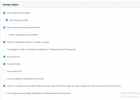
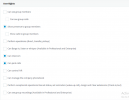
I have 2 x Snom D717 phones I am trying to use intercom between. For whatever reason I cannot get this working anymore, as it worked at some point. Instead of intercom it calls the other extenion. The customer is unaware of when it changed unfortunately as many events have occurred since then. Both Snom D717s (extensions x101 & x111) are on the same LAN, connected to my PBX which resides in my datacenter. 3CX and phones are connected via VPN.
I ran a packet capture on both Snom phones and 3CX while trying to intercom but I am not sure what to be looking for exactly. On the source phone x101 I see the invite 100 sent to *[email protected]. I see the SIP packets showing 3CX IP ringing 180 and ok 200 to the destination phone IP (x111). I then see RTP packets between the two D717 IPs. PS I am working remote and using the web interface of the D717's to call each other and test after business hours.
Anyway to tell the difference between intercom traffic vs phone call traffic in a packet capture? Any ideas where to look for what is going on here?
I ran a packet capture on both Snom phones and 3CX while trying to intercom but I am not sure what to be looking for exactly. On the source phone x101 I see the invite 100 sent to *[email protected]. I see the SIP packets showing 3CX IP ringing 180 and ok 200 to the destination phone IP (x111). I then see RTP packets between the two D717 IPs. PS I am working remote and using the web interface of the D717's to call each other and test after business hours.
Anyway to tell the difference between intercom traffic vs phone call traffic in a packet capture? Any ideas where to look for what is going on here?