Locked out of admin portal for Free 3CX SMB

Lance-STL

SMB User
Joined
May 1, 2025
Messages
8
Reaction score
1
Hello,
We are testing 3CX and were able to initially access the admin portal. Within 10 minutes, we were kicked out and it is now locked.

The login option using Google is also not appearing as an option.
The forgot password link does not work.
The site shows as <insecure>
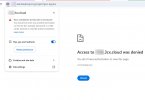
3cx-portal-access-denied.jpg
What is our next steps?

Thank you,
Lance
 
We changed our local Internet WAN IP and were able to access the portal again. However, as soon as we tried to provision the T53W phone, it cycled a few times, grabbed some provisioning info, and showed No Service. Now, we are again locked out of the portal.

This process of provisioning the T53W (as router phone?) causes 3CX to black list our IP

How can we fix and proceed?
 
Go from another IP Address and whitelist the external IP which you are trying to provision the phone on
 
Under the user who has the phone, go to Options and uncheck "Block non-tunnel connections". This will allow the phone to register as STUN temporarily, then upgrade it.

Or upgrade the firmware before. https://www.3cx.com/docs/phone-firmwares/

That's because it's running a firmware that doesn't have the SBC in it yet. So it gets blocked for trying to register directly, which is blocked by default.
 
The firmware from 3CX list for T53W 96.87.0.16 fails the phone's web GUI upgrade as <invalid rom>. The latest Yealink is posting on their web is 96.87.0.15
 
I investigated this firmware upgrade issue for Yealink T5xW phones from V86 to V87 and there is a problem.

As per Yealink Support pages, when using the phone's web gui to upgrade from V86 to V87, you MUST perform an intermediate firmware step as detailed below.

We followed this procedure and was able to successfully upgrade to the required 3CX version.

Thanks,
Lance


Conclusion

The older V86 firmware has a different firmware verification process when using the WebUI to upgrade, which causes this issue when directly upgrading to V87 via WebUI.

To solve this

This problem does not exist when using the Auto Provision method to upgrade V86 to V87. So you can try using Auto Provision to upgrade firmware.
If you need to upgrade via the web user interface, please try to upgrade to the interim firmware below first:

After that, you would be able to upgrade to V87 via the web user interface.
 

Members Online Now

No members online now.

Forum statistics

Threads
111,831
Messages
589,277
Members
164,660
Latest member
RJenkinsROCK