Management console stopped working after upgrade to latest version!

Status
Not open for further replies.

itglaafs

Customer
Joined
Jun 14, 2017
Messages
54
Reaction score
2
Dear sirs,

We can't get nginx server up after upgrade to latest SP6 version.

Code:
root@3CXDebian:~# systemctl status nginx.service
● nginx.service - A high performance web server and a reverse proxy server
   Loaded: loaded (/lib/systemd/system/nginx.service; enabled)
  Drop-In: /etc/systemd/system/nginx.service.d
           └─override.conf
   Active: failed (Result: exit-code) since Thu 2018-09-13 06:27:20 PDT; 1min 11s ago
  Process: 1724 ExecStartPre=/usr/sbin/nginx -t -q -g daemon on; master_process on; (code=exited, status=1/FAILURE)

Sep 13 06:27:20 3CXDebian nginx[1724]: nginx: [emerg] SSL_CTX_use_PrivateKey_file("/var/lib/3cxpbx/Bin/nginx/conf/Instance1/3cx.ihhglobal.com-key.pem") failed (SSL: error:0B080074:x509 certif...lues mismatch)
Sep 13 06:27:20 3CXDebian nginx[1724]: nginx: configuration file /etc/nginx/nginx.conf test failed
Sep 13 06:27:20 3CXDebian systemd[1]: nginx.service: control process exited, code=exited status=1
Sep 13 06:27:20 3CXDebian systemd[1]: Failed to start A high performance web server and a reverse proxy server.
Sep 13 06:27:20 3CXDebian systemd[1]: Unit nginx.service entered failed state.
Hint: Some lines were ellipsized, use -l to show in full.
 
I have tried to restart service but it's not working...it seems that core is working but management console is not...did someone had similar issue? Thanks.
 
Hello @itglaafs

It looks like you have a certificate error that is preventing the Nginx server to start. Are you using a 3CX or custom FQDN?
 
Hello @YiannisH_3CX

I think that domain name is custom FQDN, not 3CX one.

Best Regards,

Slaven.
 
Txs @YiannisH_3CX

I have managed to get up and running management console by re-appplying cert and key files, however connecting is still not secure in browser

When you place files under:

Linux: “/var/lib/3cxpbx/Bin/nginx/conf/Instance1”

Do you use format
pbx.your_pbx_domain_name.com-key.pem or
pbx.your_root_domain_name.com-key.pem
 
Don't know what am I doing wrong...certificate is re-issued and I have placed files under:

Linux: “/var/lib/3cxpbx/Bin/nginx/conf/Instance1”

in format: 3cx.myrootdomainame-crt.pem and 3cx.myrootdomainname-key.pem

Service is restarted...management console accessible again...but connection is not secured.

Have anyone experienced same issue?
 
Glad to see you are now able to access the management console.
How are you trying to access the management console? Locally or through the FQDN? Are you using a self signed certificate or paid?
 
Txs @YiannisH_3CX

I am using paid DV SSL certificate with StartSSL and Certum CA, and regardless if I use local ip address or FQDN to access website I'm having SSL warning that connection is not secured.
 
Click on the browser warning and check if the correct certificate is applied and why does it give you the security warning.
 
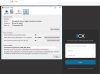
I have a screenshot from Incognito mode in Firefox...strange thing is that Chrome is showing secure connection. Could it be that Firefox is asking for far more expensive EV SSL instead of DV SSL which is running on 3CX.
 

Attachments

  • Certificate issue.jpg
    Certificate issue.jpg
    124 KB · Views: 5
Status
Not open for further replies.

Latest Posts

Forum statistics

Threads
111,894
Messages
589,601
Members
164,763
Latest member
Techmansam