Mic. 365 Integration still running

Status
Not open for further replies.

Melek YILDIZ

Silver Partner
Basic Certified
Joined
Oct 20, 2017
Messages
6
Reaction score
1
Hi,

I already integrated 3 time 365 and 3cx.

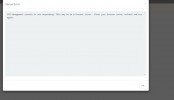
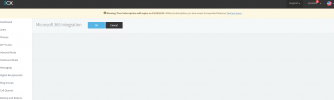
But our lasted project I add all details on 3cx and azure for 365 integrations. O365 integration page still running. I had to disable network to stop it.
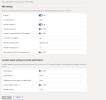
When I stoped the process I can see the user on the extention page. But the company has a really big Mic. accounts more than 5000 Users I say count from extention page. Therefore it is running along time. I need only 30 users on TR site..

When we enter sign details, I can't stop it. I don't want to sync. all users can you please give an advise.
 

Attachments

  • Capture.PNG
    Capture.PNG
    23.9 KB · Views: 6
  • Capture2.PNG
    Capture2.PNG
    19.7 KB · Views: 6
Hi!

First take a 3CX Backup.

If you want to "reset" the MS365 config of your 3CX, go to Settings --> Parameters and search for "OFFICE365_CONFIG".
Edit this parameters and delete all of the content of of this parameter. DO NOT delete the whole parameter, just the contents of it.
After this go to Dashboard --> Services, select the "System Server" and "Management Console" services and restart them.

Now if you go back to Settings MS365, there should be no settings and you can configure everything from the start, and this time, not select "Sync all Users".

Also, if you are having a problem with this, you are probably not on V18 Update 3 (v18.0.3.450), because on this version we have put in place many improvements specifically for this.
 
  • Like
Reactions: Melek YILDIZ
Thanks a lot, It works now, with sync users.

SIP Singaling port must be 5062 as 3CX but I see 5067 on Teams Direct Routing Dashport. Should I change it? 1663963220124.png1663963220124.png
 
Dear Responsible,


I have just Intagrated O365 for teams project. The connection was good. After few days, as I think connection was interrupted. When I restart all services on 3cx, teams is working well. I faced same issue 4 time in a day. Could you please advise me?


Best Regards,

Melek
 
Does this error you see in the team's SBC affect calls, or is it just the Inactivity message?
 
Hi Charles,

The issue was done, when I added more permisson on Azure. It s work now well.

I face it some connectivty issue after the problem, when restart system it was working well. After system update the issue also was solved
 
  • Like
Reactions: Charles_3CX
Status
Not open for further replies.