


- Joined
- Apr 6, 2017
- Messages
- 286
- Reaction score
- 16
Hi all,
I'm installing my second 3CX Debian and I am using pfSense for my router. Very simple network, one router, one switch, two 3CX machines.
The problem I have is that the firewall test keeps failing, stating that:
testing port 5062... failed
testing port 5062... unmatched mapping (59908)
testing port 5091... failed
testing port 5091... unmatched mapping (43685)
testing ports [9000..9255]... failed
testing port 9000... unmatched mapping (37861)
testing port 9001... unmatched mapping (25567)
etc etc
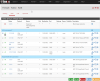
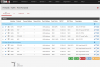
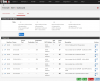
I have indeed forwarded port 5062 to the second 3CX machine, as well as 5091. So I'm not sure why this is happening. I'll post a screenshot of the firewall rules and NAT rules.
Another problem is that I need to change the ports used in 3CX from port 9000 - 9255 as these are already in use by the first 3CX machine, but I can't find the settings for this in 3CX.
Has anyone set up multiple 3CX Debian V15 within the same premises? Do you need multiple public IP addresses? Or is it possible to do it all with NAT?
Edit: I've just messed around with the firewall rules and managed to break the 1st 3CX machine too...now firewall test fails for this one too. Please help!!
I'm installing my second 3CX Debian and I am using pfSense for my router. Very simple network, one router, one switch, two 3CX machines.
The problem I have is that the firewall test keeps failing, stating that:
testing port 5062... failed
testing port 5062... unmatched mapping (59908)
testing port 5091... failed
testing port 5091... unmatched mapping (43685)
testing ports [9000..9255]... failed
testing port 9000... unmatched mapping (37861)
testing port 9001... unmatched mapping (25567)
etc etc
I have indeed forwarded port 5062 to the second 3CX machine, as well as 5091. So I'm not sure why this is happening. I'll post a screenshot of the firewall rules and NAT rules.
Another problem is that I need to change the ports used in 3CX from port 9000 - 9255 as these are already in use by the first 3CX machine, but I can't find the settings for this in 3CX.
Has anyone set up multiple 3CX Debian V15 within the same premises? Do you need multiple public IP addresses? Or is it possible to do it all with NAT?
Edit: I've just messed around with the firewall rules and managed to break the 1st 3CX machine too...now firewall test fails for this one too. Please help!!
Attachments
Last edited:


