Solved Not able to register handset nr 11 in Snom M900

Status
Not open for further replies.

JVM-tech

Bronze Partner
Advanced Certified
Joined
Apr 11, 2020
Messages
24
Reaction score
4
Hello,
Having a 3cx 8SC latest version and a dect Snom Multicell setup with 4x M900. M900 is in the latest version 7.6 B401. Works perfect like always.
The registration of the handsets worked well until i came to handset nr 11. The moment that i clicked on "register new handset" i received the message "settings successfully saved, wait 3 seconds".

It is not possible to register handsets after the first 10 pieces. Do i do something wrong? I can confirm that the provisioning is well done because i see my 13 users. Only the last 3 is a problem.

Thans for your feedback.
 
Are you sure you configured multicell correctly? More than 10 dect phones are only in multicell setup possible.
 
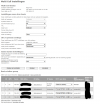
Thanks for the fast reaction. So far i know this is installed correctly. See picture

1770114846242.png
 
Did you try to connect your new mobile on the primary base? What does the log from snom say?
 
Yes i did try it with the primary. Even with a secundary as a test what was the same error.

When under extentions selecting ext11 confirming add new Handheld it stops automaticly and give the message: "settings successfully saved, wait 3 seconds". It seems that it did not even try to add one.

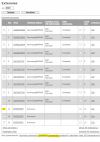
The logs gives only:
1770120319320.png
 
You dont need to press any button to register a new handset. if you have some extensions with just FFFFF as IPEI the mobile will connect from top to down. Just choose register on your mobile and the firste "empty" field to register it. The code should be 0000
 
OK. Previous a always selected the extension and than in the button the function register handset. (see picture).
I never did just a registration on the phone without first doing the above. Ok i will check this within a few hours on site. Thanks ! I will keep you posted.


1770122551925.png
 
If you want to do it this way, you need to configure the IPEI in before on this extension. Otherwise the IPEI doesnt match with the phone you want to connect. Try just connecting the phone without pressing any buttons.
 
Our experience is:
first connect the handsets to the base (the first one in this case) and then configure the extensions of the base in 3CX according to the order in which the mobile devices were initially registered with the base.

If you have the IPEI, you can influence the order of registrations. Basically, if a handset with the correct IPEI is created in the base for the initial contact, no interaction on the handset is required - provided that the firmware of the base and the end devices does not differ too much.
After that: assign and provision the 3CX extensions of the DECT base in the desired order.
 
  • Like
Reactions: JVM-tech
Hello,
I did do the registration of the handset without going to the interface of the M900. Only by registering the handset with code 0000. This works perfect.
I always assumed that I first had to select the extension in the M900 and confirm with “register handset” before I could do the register on the handset itself. It seems not.

Thanks for all your feedback and extra tips and tricks.
 
  • Like
Reactions: bitn2
Status
Not open for further replies.

Members Online Now

Forum statistics

Threads
111,832
Messages
589,278
Members
164,662
Latest member
DejanMDS