Problems during integration

Status
Not open for further replies.

Computer Republic

Silver Partner
Basic Certified
Joined
Dec 24, 2021
Messages
16
Reaction score
1
I am following the guide to integrate Teams with 3cx, however I have encountered some difficulties.
I state that:
I have an enterprise license, I have generated a certificate, I have a Teams account with a specific license.
First doubt: do I have to integrate also the 3cx and Azure part?
Second doubt, when I create the instance in the Teams portal and I go to insert Fqdn which points to my 3cx where there is the certificate, because I see the door "
SIP signaling port
5067 "while in the guide the 5062 is mentioned?
How come when I go to generate the Users script (which I didn't understand what it is) I get an error "No users are included in the generated script. For more information, check this guide." ? and looking at the guide talks about missing data in the Teams users section, when my integration between 3cx and Teams hasn't happened yet?
The guide also omits the configuration portion of the Teams portal.
 
Hi!

First doubt: do I have to integrate also the 3cx and Azure part?
Yes, see Requirements:
https://www.3cx.com/docs/microsoft-teams-business-voice/#h.y55demilnscn

Second doubt, when I create the instance in the Teams portal and I go to insert Fqdn which points to my 3cx where there is the certificate, because I see the door "
You don't actually need to do anything in the Teams Portal, please review instructions again to better understand the process:
https://www.3cx.com/docs/microsoft-teams-business-voice/#h.wtstrqrumip6
All settings are applied to the Teams Portal when you run the Powershell scripts.

SIP signaling port
5067 "while in the guide the 5062 is mentioned?
After you configure Teams this far, check here to see what port you need to open for TCP:
1645531568497.png

How come when I go to generate the Users script (which I didn't understand what it is) I get an error "No users are included in the generated script. For more information, check this guide." ? and looking at the guide talks about missing data in the Teams users section, when my integration between 3cx and Teams hasn't happened yet?
See here: https://www.3cx.com/docs/microsoft-teams-integration-faqs/#h.4dm9u5zhjuda
Also if you don't have the User Sync enabled which is a requirement, that can also be the reason.

The guide also omits the configuration portion of the Teams portal.
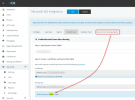
Yes, because it isn't needed.
 
  • Like
Reactions: VasilisV_3CX
Hello
i have a problem with a powershell script: teams_dial_plan.ps1
is this?
 
Hi!

No, it would preferred to delete everything custom you have done, then follow the instructions from the beginning as per our guide.
 
i have resolve
i have add AllowClobber in the second row of script
now i have another problem with "generate users Script"
No users are included in the generated script. For more information, check this guide.
 
In your list of users, for the users that do have a Microsoft "Phone System" license, do they appear with "MS 365+Teams" in the "Sync with" column?
1645544512203.png

Also I don't see you mentioning if you have enabled "User Sync".
 
yes done.
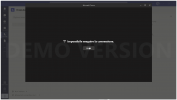
Now i can received call but i can't use Teams to call, see the attachement please.
Another question,

is it possible to decide precisely which 3cx extension to assign to teams users?
 

Attachments

  • Screen Shot 02-22-22 at 03.46 PM.PNG
    Screen Shot 02-22-22 at 03.46 PM.PNG
    84.1 KB · Views: 9
ok for outcall, i have resolve.
Two ultimate question:
In the Teams account i can't view the other contact of 3cx PBX (it's possible?)
is it possible to decide precisely which 3cx extension to assign to teams users?
 
In the Teams account i can't view the other contact of 3cx PBX (it's possible?)
No, in order to see the contacts of 3CX, as well as other advanced features like logging in/out of Queues, viewing and changing your 3CX Extension Profile status, etc, you need to use the 3CX Client.
The Teams client integration is very convenient for users that occasionally use the phone and only need the phone call function, but utilize the Teams features primarily.
If you have "heavy phone users" like Queue Agents, Reception staff, etc, it is best to have them use the 3CX Clients.


is it possible to decide precisely which 3cx extension to assign to teams users?
This depends on what Extensions Numbers you allocate the MS365 users to in the "User Sync" tab.
Here's a small trick to allocate a new user to whatever Ext Number you want:
  1. Before syncing a new user in the MS365 settings, create a new Extension from the "Users" node in 3CX with the Ext Number you want and put the email that the user has in AAD.
  2. Enable User Sync for this new user.
The User sync will find that an extension already exists with this email and re-use that one.

Now if you want to change number for existing users, I would suggest deleting everything and starting again:
  1. Disable "User Sync"
  2. Delete Extensions that you have synced in the "Users" node of the 3CX Management Console.
  3. Re-enable "User Sync" for the users you want an allocate Ext Number(s) you want (see above trick)
  4. Re-run the Teams Integration, specially the User Script so the phone and extension number can be updated on the Teams side
 
Status
Not open for further replies.