- Joined
- May 30, 2016
- Messages
- 80
- Reaction score
- 10
Good morning everyone.
I have a 3CX v.20 Update 3 on premise installation with a weekly backup configured on my external FTP destination. The backups are running correctly and I receive emails confirming the success of the backup.
This afternoon I mistakenly deleted an extension, and instead of rebuilding the extension from new I thought of restoring the last automatic backup that dates back 24 hours.
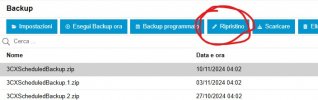
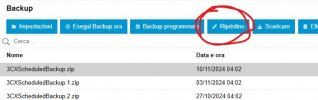
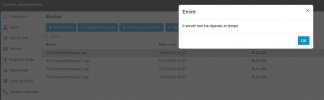
I went to the "backup" section in the Administrator Console, selected my "3CXScheduledBackup.zip" file and pressed "Restore". The system remained for about 60 seconds without doing anything at all and then the error "The server did not respond in time" appeared.
I checked the "Storage" section and the path and in reality the entire configuration is correct, also because if 3CX did not have access to the FTP server it would not even display the .zip files.
I tried on two different 3CX servers and both gave me the same error.
Why? Is it a recognized problem?
Thanks everyone
I have a 3CX v.20 Update 3 on premise installation with a weekly backup configured on my external FTP destination. The backups are running correctly and I receive emails confirming the success of the backup.
This afternoon I mistakenly deleted an extension, and instead of rebuilding the extension from new I thought of restoring the last automatic backup that dates back 24 hours.
I went to the "backup" section in the Administrator Console, selected my "3CXScheduledBackup.zip" file and pressed "Restore". The system remained for about 60 seconds without doing anything at all and then the error "The server did not respond in time" appeared.
I checked the "Storage" section and the path and in reality the entire configuration is correct, also because if 3CX did not have access to the FTP server it would not even display the .zip files.
I tried on two different 3CX servers and both gave me the same error.
Why? Is it a recognized problem?
Thanks everyone