- Joined
- Mar 2, 2021
- Messages
- 23
- Reaction score
- 5
We are on V18 with server onsite. Using Salesforce V2 template. Followed all documentation and settings per the online article to set this up. My 'Refresh Token:" is blank so when testing it get this error:
Server returned a non successful status code - HTTPStatusCode=BadRequest - Reason=Bad Request - Content={"error":"invalid_grant","error_description":"expired access/refresh token"}
When clicking to 'Aurhorize' my token I receive this:
error=redirect_uri_mismatch&error_description=redirect_uri%20must%20match%20configuration
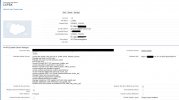
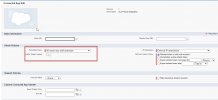
I've added all permission in the Salesforce OAuth scopes but the documentation permissions shown do not match current salesforce permission options. I've checked my token refresh policy and it is set to 'Refresh Token Until Revoked' so I know it's not a token issue.
Seems to be a URL issue. I've tested the URL and am able to reach our management console using the URL I entered in Salesforce and per the documentation from 3cx. I added the ':5001/api/oauth2crm' portion to the end of my URL as shown in the documentation.
My Consumer Key and Consumer Secret are entered and being passed to Salesforce.
Lastly I've followed all the forum posts to no avail and still not able to make this work. Should not be this difficult!
Server returned a non successful status code - HTTPStatusCode=BadRequest - Reason=Bad Request - Content={"error":"invalid_grant","error_description":"expired access/refresh token"}
When clicking to 'Aurhorize' my token I receive this:
error=redirect_uri_mismatch&error_description=redirect_uri%20must%20match%20configuration
I've added all permission in the Salesforce OAuth scopes but the documentation permissions shown do not match current salesforce permission options. I've checked my token refresh policy and it is set to 'Refresh Token Until Revoked' so I know it's not a token issue.
Seems to be a URL issue. I've tested the URL and am able to reach our management console using the URL I entered in Salesforce and per the documentation from 3cx. I added the ':5001/api/oauth2crm' portion to the end of my URL as shown in the documentation.
My Consumer Key and Consumer Secret are entered and being passed to Salesforce.
Lastly I've followed all the forum posts to no avail and still not able to make this work. Should not be this difficult!