- Joined
- Apr 14, 2019
- Messages
- 9
- Reaction score
- 6
Hi, I've seen a lot of the same threads here with the same error, but for some reason the solution doesn't work in our situation.
When we add Salesforce and to the TEST, we get this result:
Solutions here: https://www.3cx.com/community/threads/salesforce-integration.62305/
And here: https://www.3cx.com/community/threads/salesforce-error.64672/
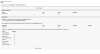
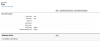
So, did the same thing, verified several times, no solution. This is what we've changed: (see attachted files)
Any other ideas?
When we add Salesforce and to the TEST, we get this result:
Server returned a non successful status code - HTTPStatusCode=BadRequest - Reason=Bad Request - Content=[{"message":"\nAccountId),Lead(Id,FirstName,LastName,Fax,MobilePhone,Phone,Email,Company)\n ^\nERROR at Row:1:Column:174\nNo such column 'Fax' on entity 'Lead'. If you are attempting to use a custom field, be sure to append the '__c' after the custom field name. Please reference your WSDL or the describe call for the appropriate names.","errorCode":"INVALID_FIELD"}]
Solutions here: https://www.3cx.com/community/threads/salesforce-integration.62305/
And here: https://www.3cx.com/community/threads/salesforce-error.64672/
So, did the same thing, verified several times, no solution. This is what we've changed: (see attachted files)
Any other ideas?