- Joined
- Aug 18, 2021
- Messages
- 53
- Reaction score
- 10
Hello ChrisC_3CX,Just to first get a bit more information on this:
• What exact version of 3CX are you running? Check under "Dashboard >> Information >> License/Version"
• What are you using SSO for? Administrator access to the Management Console or Extension access to the Management Console and Webclient?
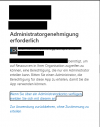
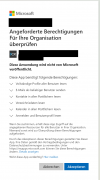
• What happens exactly when you try to login using SSO and this user? Do you get an error, what do you see?
• Is this user's extension also synced with 365?

Hello Chris,Could you check the following:
1. Access the 365 Administrator Panel and go to Azure Active Directory
2. Navigate to App Registrations.
3. Search the App registration for this PBX and edit it.
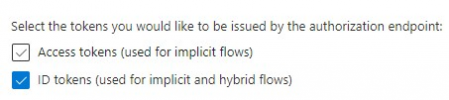
4. Go to "Authentication" and make sure that "Access Tokens" is NOT enabled and that "ID Tokens" IS enabled.
View attachment 26635
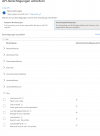
5. Then go to "API Permissions" and make sure that you have the following permission in the list and that "Admin Consent Required" is off:
View attachment 26636
Could you also provide a screenshot of this section?

Hello,Hello Chris,
i see that the permission User.Read was not set, but for some reason i cannot find it?
View attachment 26637
Regards
fabs
Hello Chis,Hello,
for some reason i had deleted user.read,
was able to add it again
View attachment 26639
Regards
fabs
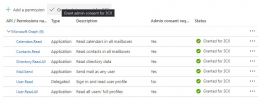
Hello Chris,Seems you're still missing some permissions. Here's what you should have, make sure you add them all:
View attachment 26640

Hello Chris,Hello Chris,
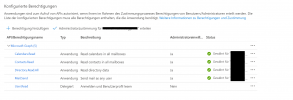
I cannot set the granted status for the app. Do you know how can i do this?
View attachment 26642
Hi Chris,Glad to hear you found it!
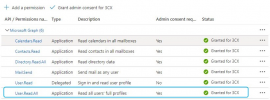
I'll be marking this as solved since everything now seems to be in order but note that you're actually missing one more permissions so please make sure you've added it and that you've also granted 3CX access:
View attachment 26644
Founded in 2005, when VoIP was an emerging technology, 3CX has gone on to establish itself as a global leader in business communications.