- Joined
- Jan 4, 2022
- Messages
- 1
- Reaction score
- 0
Hi Everyone,
we set up Teams Direct routing and Incoming Calls to teams are fine.
Outgoing calls (wheter to internal or external) are failing with teams showing "rejected" after one ring.
I found this Post which is showing the exact same problem, but unfortuanly the solutions (having no call id policy set) does not work for me
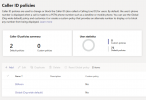
I dont have any Caller ID policies set.
I tried all ideas on the troubleshooting FAQ but nothing of that did solve my problem.
Thanks for your help.
-------------------------------------------------------------------------------------------------------------
05.01.2022 09:28:33 - [CM503013]: Call(C:38): Incoming call rejected, caller is unknown; msg=Invite-IN Recv Req INVITE from 52.114.76.76:2176 tid=bc52d7c8 Call-ID=6dc580350ebb544f988a333c22935332:
INVITE sip:22@cti.COMPANY.de:5061;user=phone;transport=tls SIP/2.0
Via: SIP/2.0/TLS 52.114.76.76:5061;branch=z9hG4bKbc52d7c8
Max-Forwards: 70
Record-Route: <sip:sip-du-a-eu.pstnhub.microsoft.com:5061;transport=tls;lr>
Contact: <sip:api-du-c-euno.pstnhub.microsoft.com:443;x-i=9c0e3bfe-d6c6-48b0-99f0-b257abc03ec5;x-c=6dc580350ebb544f988a333c22935332/d/8/04f908a6bf9a473d9809c8e43416e061>
To: <sip:22@cti.COMPANY.de:5061;user=phone>
From: "Company Worker"<sip:+49XXXX;ext=[email protected]:5061;user=phone>;tag=ecd23492bfc74c6da75cce1295bf04a4
Call-ID: 6dc580350ebb544f988a333c22935332
CSeq: 1 INVITE
Session-Expires: 3600
Min-SE: 300
Allow: INVITE, ACK, OPTIONS, CANCEL, BYE, NOTIFY
Content-Type: application/sdp
Supported: timer
User-Agent: Microsoft.PSTNHub.SIPProxy v.2022.1.3.2 i.EUNO.12
Privacy: id
P-Asserted-Identity: <tel:+49XXXXext=21>
P-Asserted-Identity: <sip:[email protected]>
Content-Length: 1093
v=0
o=- 405887 0 IN IP4 127.0.0.1
s=session
c=IN IP4 52.113.116.0
b=CT:10000000
t=0 0
m=audio 49980 RTP/SAVP 104 9 103 111 18 0 8 97 101 13 118
c=IN IP4 52.113.116.0
a=rtcp:49981
a=ice-ufrag:Mr0i
a=ice-pwd:gDrreaYpvSZIF5K3W0iNQQUq
a=rtcp-mux
a=candidate:1 1 UDP 2130706431 52.113.116.0 49980 typ srflx raddr 10.0.97.82 rport 49980
a=candidate:1 2 UDP 2130705918 52.113.116.0 49981 typ srflx raddr 10.0.97.82 rport 49981
a=candidate:2 1 tcp-act 2121006078 52.113.116.0 49152 typ srflx raddr 10.0.97.82 rport 49152
a=candidate:2 2 tcp-act 2121006078 52.113.116.0 49152 typ srflx raddr 10.0.97.82 rport 49152
a=label:main-audio
a=mid:1
a=crypto:1 AES_CM_128_HMAC_SHA1_80 inline:7+McTZMT4Hv2tN9aQjxPYMcbWniX3caVlrLkJEbq|2^31
a=sendrecv
a=rtpmap:104 SILK/16000
a=rtpmap:9 G722/8000
a=rtpmap:103 SILK/8000
a=rtpmap:111 SIREN/16000
a=fmtp:111 bitrate=16000
a=rtpmap:18 G729/8000
a=fmtp:18 annexb=no
a=rtpmap:0 PCMU/8000
a=rtpmap:8 PCMA/8000
a=rtpmap:97 RED/8000
a=rtpmap:101 telephone-event/8000
a=fmtp:101 0-16
a=rtpmap:13 CN/8000
a=rtpmap:118 CN/16000
a=ptime:20
we set up Teams Direct routing and Incoming Calls to teams are fine.
Outgoing calls (wheter to internal or external) are failing with teams showing "rejected" after one ring.
I found this Post which is showing the exact same problem, but unfortuanly the solutions (having no call id policy set) does not work for me
I dont have any Caller ID policies set.
I tried all ideas on the troubleshooting FAQ but nothing of that did solve my problem.
Thanks for your help.
-------------------------------------------------------------------------------------------------------------
05.01.2022 09:28:33 - [CM503013]: Call(C:38): Incoming call rejected, caller is unknown; msg=Invite-IN Recv Req INVITE from 52.114.76.76:2176 tid=bc52d7c8 Call-ID=6dc580350ebb544f988a333c22935332:
INVITE sip:22@cti.COMPANY.de:5061;user=phone;transport=tls SIP/2.0
Via: SIP/2.0/TLS 52.114.76.76:5061;branch=z9hG4bKbc52d7c8
Max-Forwards: 70
Record-Route: <sip:sip-du-a-eu.pstnhub.microsoft.com:5061;transport=tls;lr>
Contact: <sip:api-du-c-euno.pstnhub.microsoft.com:443;x-i=9c0e3bfe-d6c6-48b0-99f0-b257abc03ec5;x-c=6dc580350ebb544f988a333c22935332/d/8/04f908a6bf9a473d9809c8e43416e061>
To: <sip:22@cti.COMPANY.de:5061;user=phone>
From: "Company Worker"<sip:+49XXXX;ext=[email protected]:5061;user=phone>;tag=ecd23492bfc74c6da75cce1295bf04a4
Call-ID: 6dc580350ebb544f988a333c22935332
CSeq: 1 INVITE
Session-Expires: 3600
Min-SE: 300
Allow: INVITE, ACK, OPTIONS, CANCEL, BYE, NOTIFY
Content-Type: application/sdp
Supported: timer
User-Agent: Microsoft.PSTNHub.SIPProxy v.2022.1.3.2 i.EUNO.12
Privacy: id
P-Asserted-Identity: <tel:+49XXXXext=21>
P-Asserted-Identity: <sip:[email protected]>
Content-Length: 1093
v=0
o=- 405887 0 IN IP4 127.0.0.1
s=session
c=IN IP4 52.113.116.0
b=CT:10000000
t=0 0
m=audio 49980 RTP/SAVP 104 9 103 111 18 0 8 97 101 13 118
c=IN IP4 52.113.116.0
a=rtcp:49981
a=ice-ufrag:Mr0i
a=ice-pwd:gDrreaYpvSZIF5K3W0iNQQUq
a=rtcp-mux
a=candidate:1 1 UDP 2130706431 52.113.116.0 49980 typ srflx raddr 10.0.97.82 rport 49980
a=candidate:1 2 UDP 2130705918 52.113.116.0 49981 typ srflx raddr 10.0.97.82 rport 49981
a=candidate:2 1 tcp-act 2121006078 52.113.116.0 49152 typ srflx raddr 10.0.97.82 rport 49152
a=candidate:2 2 tcp-act 2121006078 52.113.116.0 49152 typ srflx raddr 10.0.97.82 rport 49152
a=label:main-audio
a=mid:1
a=crypto:1 AES_CM_128_HMAC_SHA1_80 inline:7+McTZMT4Hv2tN9aQjxPYMcbWniX3caVlrLkJEbq|2^31
a=sendrecv
a=rtpmap:104 SILK/16000
a=rtpmap:9 G722/8000
a=rtpmap:103 SILK/8000
a=rtpmap:111 SIREN/16000
a=fmtp:111 bitrate=16000
a=rtpmap:18 G729/8000
a=fmtp:18 annexb=no
a=rtpmap:0 PCMU/8000
a=rtpmap:8 PCMA/8000
a=rtpmap:97 RED/8000
a=rtpmap:101 telephone-event/8000
a=fmtp:101 0-16
a=rtpmap:13 CN/8000
a=rtpmap:118 CN/16000
a=ptime:20