Unable to Sign in with Office 365

Status
Not open for further replies.

dandemur

Free User
Joined
Apr 6, 2022
Messages
4
Reaction score
0
Forgive me if this has been resolved elsewhere, but I can't find any solutions that work for me. I am trying to allow sign in to Webclient/Management for users on Office 365. We also have users logging in with Google and that works well. I do not need to sync O365 users, just allow sign in. After authenticating, users get redirected back to the login window which ends up being a loop. I have made sure that ID tokens is enabled. I also enabled access tokens. Any thoughts?
 
With regards to SSO with 365, make sure that the users that you are enabling have the rights set to access the management console from the extensions settings > Rights tab > Allow access to the 3cx Management console section. You can set this to only allow access to 'manage own extension', not to give them any more rights than they have to their extensions settings that the webclient provides, for example.
 
I have that set for this particular user. The issue still occurs
 
The next step then is to check that the appropriate setting has been enabled under the azure portal for the app registration > authentication section for the setting 'ID tokens (used for implicit and hybrid flows)'.
 
That is enabled as well.
 
Do me a favor:
  1. Choose one of the Extensions that is having this problem
  2. Go to Management Console --> Users, select the Extension and Delete it
  3. Re-create the Extension with the same Extension number
  4. Try again
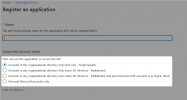
If that fails you may have to change the following option depending on the organization structure you have as this can also affect the login:
1649405144236.png
 
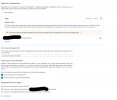
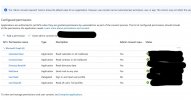
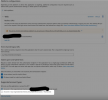
I created a new test extension, put in the email address of a test 0365 user and the issue still occurs. I am set to Single Tenant. I've attached what my configuration looks like in Azure AD.
 

Attachments

  • picture 2022-04-08 at 12.10.24 PM.jpg
    picture 2022-04-08 at 12.10.24 PM.jpg
    298.6 KB · Views: 38
  • picture 2022-04-08 at 12.10.33 PM.jpg
    picture 2022-04-08 at 12.10.33 PM.jpg
    195.6 KB · Views: 33
Can you please try selecting this option here in the App Registration options and try again?
1649659820040.png


Also please:
  • What version of 3CX are you running? You can check this in the Management Console --> Dashboard, in the "Information" panel. If you are anything lower than V18 Update 3, please upgrade to V18 Update 3 (build 461).
  • Make sure you try to log in with another browser, preferably in Incognito Mode.
 
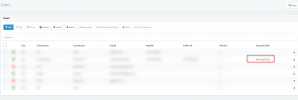
In addition to Nick's reply above, can you check under the management console > users node that the users added to the SSO are tagged with the Microsoft 365 tag under the Synced with section.

1649784069800.png
 
  • Like
Reactions: NickD_3CX
Hi

Regarding O365 SSO i have system setup prior to App integration. i have added allowed users to sign in and they are synced, however they cannot sign in. I have deleted one user/ext and added back in and they can login now via O365... Is there another option to resolve this instead of deleting all users which also means call Q's etc..
 
Status
Not open for further replies.