Solved v18 teams outbound calling using direct routing?

Status
Not open for further replies.

CFP

Premier Customer
Joined
Sep 25, 2020
Messages
64
Reaction score
16
i'm trialling this out to see if this works well for our users... i can receive calls but outgoing calls seem to just drop out?

anyone else experiencing such issues?

i appreciate this is in "alpha" at the moment... any news on when it will be production ready?
 
Hi!

Have you had a look at our FAQ?
https://www.3cx.com/docs/microsoft-teams-integration-faqs/

Also if you switch on Verbose logging from Dashboard --> Activity Log --> Settings, then make another call, in the Activity Log, what error do you see?
Can you se the call attempt being made?
 
hi nick,

done a little more looking at the FAQ's got right to the bottom, and tried setting the teams policies and voice outbound calling allowance to any destination
https://www.3cx.com/docs/microsoft-teams-integration-faqs/#h.lli11m4io96d

it now makes a little more progress, i dial my number which then converts to e164 in teams as it dials out and i then get "called number does not exist" (even though i can call my 3CX number from the mobile)

the only think i can see is:
User-Agent: 3CX EndCall helper
Reason: SIP;text=User Hung Up

i've also noticed that teams auto appends +44 in front of the number i'm dialling.. could this be part of the issue?
when i receive calls from the same number there is no +44 and the call seems to work as expected.
 
hi nick,

done a little more looking at the FAQ's got right to the bottom, and tried setting the teams policies and voice outbound calling allowance to any destination
https://www.3cx.com/docs/microsoft-teams-integration-faqs/#h.lli11m4io96d

it now makes a little more progress, i dial my number which then converts to e164 in teams as it dials out and i then get "called number does not exist" (even though i can call my 3CX number from the mobile)

the only think i can see is:
User-Agent: 3CX EndCall helper
Reason: SIP;text=User Hung Up

i've also noticed that teams auto appends +44 in front of the number i'm dialling.. could this be part of the issue?
when i receive calls from the same number there is no +44 and the call seems to work as expected.
Great! So it looks like you have Teams all set up, not all you need to do is fix your Outbound Rules.

All outgoing calls initiated by the Teams Client and made in a e164 number format (starting with the '+' symbol, then country code, etc...).
Not all providers though support dialing numbers in this format and also you may not have an Outbound Rule that allows numbers with a '+' symbol.
If your Provider needs the dialed number to be in a different number format, example UK numbers need to be dialed in "0xxxxxxxxx" format, use the Outbound Rules to strip 3 digits (the +44) and the prepend '0'.

Review the Outbound Rules based on this.

Just to confirm something, if from the Teams client you dial another 3CX Extension Number that is NOT integrated with Teams, that works, right?
 
  • Like
Reactions: CFP
Great! So it looks like you have Teams all set up, not all you need to do is fix your Outbound Rules.

All outgoing calls initiated by the Teams Client and made in a e164 number format (starting with the '+' symbol, then country code, etc...).
Not all providers though support dialing numbers in this format and also you may not have an Outbound Rule that allows numbers with a '+' symbol.
If your Provider needs the dialed number to be in a different number format, example UK numbers need to be dialed in "0xxxxxxxxx" format, use the Outbound Rules to strip 3 digits (the +44) and the prepend '0'.

Review the Outbound Rules based on this.

Just to confirm something, if from the Teams client you dial another 3CX Extension Number that is NOT integrated with Teams, that works, right?
Hi Nick,

thanks you for this in-depth explanation.

we are in the UK so i will look at the outbound rules.

To confirm dialling an extension seems to dial and work.. i tested with the echo extension.

will update once i've managed to look at the outbound rules... if you have an example of a rule removing the +44 that would be greatly appreciated (ideally i don't want to break the rules in place so i assume i can simply create another rule.)
 
To confirm dialling an extension seems to dial and work.. i tested with the echo extension.
Excellent, by the time this works, it means that most likely the Teams integration is setup correctly.


if you have an example of a rule removing the +44 that would be greatly appreciated (ideally i don't want to break the rules in place so i assume i can simply create another rule.)
I could, it's not hard, but because what you need to do depends a lot on what your Provider expects the dialed number format to be, I wouldn't want to post something that may apply to you and not to any other people that will read this.
Best spend just a little time to understand the logic and you will be future proof! :D
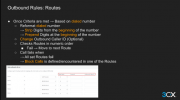
So the basic logic breakdown is:
  • Whatever External Number you dial from your Teams Client will be in an e164 format (+44xxxxxxxxxx) in your case. This is a fact.
  • Find out what number format(s) your provider supports for the dialed number. A good clue is, how are you dialing the number currently from the 3CX Clients? If you are using the National Format (0xxxxxxx in your case) and your current Outbound Rules aren't stripping/a[[ending anything, then that's the format you are aiming for.
  • Once you know the format you want, just figure out what needs to change, then use the strip and prefix options of the Outbound Rule. So if you wanted the dialed number format to be in National UK Format, and knowing that all External Numbers from Teams are dialed in e164 format, you would need to strip 3 digits (which is the "+44") and prepend '0'.
A lot of useful information on Outbound Rulescan be found here:
https://www.3cx.com/3cxacademy/videos/advanced/configuring-outbound-routing/
Like this:
1639573782747.png
 
  • Like
Reactions: CFP
Thank's Nick, creating a specific outbound rule to strip the +44 seems to work!!!

would i need to do this for all international numbers also?
 
Thank's Nick, creating a specific outbound rule to strip the +44 seems to work!!!
Excellent! :D

would i need to do this for all international numbers also?
Again, depends on your provider.
If your Provider needs the dialed number for international destinations to use the '00'+country prefix (very common in Europe...), then you would need to apply similar logic (strip '+', prepend '00').
 
  • Like
Reactions: CFP
Excellent! :D


Again, depends on your provider.
If your Provider needs the dialed number for international destinations to use the '00'+country prefix (very common in Europe...), then you would need to apply similar logic (strip '+', prepend '00').
thank you again! i done just that... came back to report back. it seems to be working with the 2 additional outbound rules. as well as setting the calling policy etc. in teams admin.
 
  • Like
Reactions: NickD_3CX
I think then we are all good here!

I'll set this as 'Solved' then.

If there is anything else you want, open a new thread any time :)
 
  • Like
Reactions: CFP
Status
Not open for further replies.

Members Online Now

No members online now.

Forum statistics

Threads
111,831
Messages
589,277
Members
164,660
Latest member
RJenkinsROCK