Wants help to getting QR code to setup 3cx in my android mobile.

Status
Not open for further replies.

salauddin-khan

New User
Joined
Feb 13, 2022
Messages
1
Reaction score
0
Dear 3cx Admins

Is there a possibility to send the welcome email automated in my android device? I'm trying to setup 3cx in my android mobile since long days but I can't because of not having QR code.

Please help me to getting a QR code.

Your hoping for help
Salauddin Khan
 
@salauddin-khan
It's simple, try one of these two:
1 - tell your PBX administrator to send you a welcome email, then open this email on your Android phone.
2 - if you know the credentials, then open the webclient on a PC to see the QR code then scan it with your Android client

(or both combined: tell your PBX administrator to send you a welcome email, open it on a PC, then scan the QR code from mail or by webclient you can launch from mail.)
 
Last edited:
  • Like
Reactions: NickD_3CX
I have a similar issue but there is a line through my post in the forum like someone deleted it. Have a VVIP that had 3cx client stop green lighting and will not connect. No laptop or other device to display the QR.

I noted QR decodes to a URL, that allows download of the config file. Likely same as gets sent in attachment of welcome email.

So how does one config the android client with this file? Is there a secret backdoor to import it that a non technical user could perform? How do we determine when it stopped working? First overnight a second phone, which is my own, so code can be scanned. then will call for pickup of my phone and both of us will be out of service 2 days. Printed the welcome email also since it should scan though we never tried a paper copy.
 
I have a similar issue but there is a line through my post in the forum like someone deleted it. Have a VVIP that had 3cx client stop green lighting and will not connect. No laptop or other device to display the QR.

I noted QR decodes to a URL, that allows download of the config file. Likely same as gets sent in attachment of welcome email.

So how does one config the android client with this file? Is there a secret backdoor to import it that a non technical user could perform? How do we determine when it stopped working? First overnight a second phone, which is my own, so code can be scanned. then will call for pickup of my phone and both of us will be out of service 2 days. Printed the welcome email also since it should scan though we never tried a paper copy.
Hi!

You can provision Mobile Apps, both Android and iOS, with the provisioning file:
provisioning_android.gif

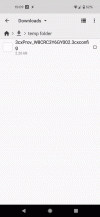
Just download the .3cxconfig file to the Android somehow, usually from the Email Attachment, then locate it in the storage of the device, then open it with the 3CX App, like shown in the GIF above.

Most Android devices have a File Explorer app, if yours doesn't, the one used above is called "Cx File Explorer", but there are many more to choose from.
 
Status
Not open for further replies.

Members Online Now

No members online now.

Forum statistics

Threads
111,831
Messages
589,277
Members
164,660
Latest member
RJenkinsROCK