- Joined
- Sep 12, 2022
- Messages
- 1
- Reaction score
- 0
Good morning, I followed the steps in the link
https://www.3cx.es/docs/manual/whatsapp/
for the WhatsApp integration. The number I have is new.
But in step 3, point 4,
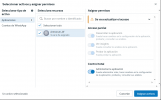
Click "Add Assets." In the pop-up box, select "Apps" > "Choose your Application" and enable the "Manage app" option. Click "Save Changes."
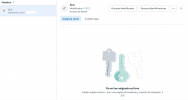
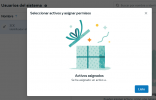
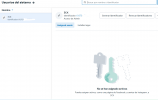
When I add the assets, the page tells me they've been added, but I can't see them added, and I can't continue with the integration. Any recommendations?
https://www.3cx.es/docs/manual/whatsapp/
for the WhatsApp integration. The number I have is new.
But in step 3, point 4,
Click "Add Assets." In the pop-up box, select "Apps" > "Choose your Application" and enable the "Manage app" option. Click "Save Changes."
When I add the assets, the page tells me they've been added, but I can't see them added, and I can't continue with the integration. Any recommendations?