I have a Yealink T46U. I've tried changing the ring tone on the phone itself, as well as in the 3CX app(see attachment), but I continue to have the default ring tone. It's not a horrible tone and I can certainly live with it, but the curiosity in me wonders why I can't seem to change it.
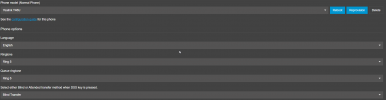
That is correct here, once you make changes you need to provision the phone to update the changed to the phone, otherwise this will happen on re-provision with is every 24 hours.
Make sure that the ringtone file you are trying to install is supported by your phone. Some models may have restrictions on file formats or melody file sizes. Go to the settings menu of your Yealink T46U and make sure that you have selected the new ringtone correctly. Sometimes changes are not saved due to incorrect settings or the wrong way to apply changes.