- Joined
- Feb 24, 2024
- Messages
- 18
- Reaction score
- 0
I hope someone here can help.
I have recently created a new free account. I have a Yealink T53W Desk Phone.
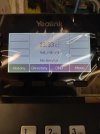
The desktop phone screen tells me that I have “No Service”. I have a dial tone and can dial numbers. When I make a call I get a busy signal and a message on the phone screen saying “Invite Request No Response”.
The 3CX Admin Console Shows the Yealink phone as a router phone but it has a red box next to it.
I have done the following to the Yealink T53W Desk Phone.
~ Reset to factory settings
~ Updated the firmware
~ Set it up (Provisioned) as router phone
I have been doing a lot of searching and reading to see what I can do or what I did wrong. I believe I set up the 3cx account correctly.
Anyone have any ideas as to what I did wrong or what I can do to fix this problem?
Thanks in advance for any and all help!
• 3CX Version: Free
• Is the 3CX Server Hosted and where? Hosted by 3CX
• IP Phone Make/Model/Firmware version: Yealink T53W version 96.86.0.76
• Provisioning Method: Followed steps online. https://www.3cx.com/sip-phones/yealink-t5-series/
• Trunk Provider or VoIP Gateway Make/Model: Flowroute
• Has the Firewall Checker passed: NO
• Are custom Phone Templates being used: NO
I have recently created a new free account. I have a Yealink T53W Desk Phone.
The desktop phone screen tells me that I have “No Service”. I have a dial tone and can dial numbers. When I make a call I get a busy signal and a message on the phone screen saying “Invite Request No Response”.
The 3CX Admin Console Shows the Yealink phone as a router phone but it has a red box next to it.
I have done the following to the Yealink T53W Desk Phone.
~ Reset to factory settings
~ Updated the firmware
~ Set it up (Provisioned) as router phone
I have been doing a lot of searching and reading to see what I can do or what I did wrong. I believe I set up the 3cx account correctly.
Anyone have any ideas as to what I did wrong or what I can do to fix this problem?
Thanks in advance for any and all help!
• 3CX Version: Free
• Is the 3CX Server Hosted and where? Hosted by 3CX
• IP Phone Make/Model/Firmware version: Yealink T53W version 96.86.0.76
• Provisioning Method: Followed steps online. https://www.3cx.com/sip-phones/yealink-t5-series/
• Trunk Provider or VoIP Gateway Make/Model: Flowroute
• Has the Firewall Checker passed: NO
• Are custom Phone Templates being used: NO