APNS Push failing to iOS devices, calls not coming in to SoftPhone

eddybreton

SOHO User
Joined
Jul 17, 2022
Messages
11
Reaction score
3
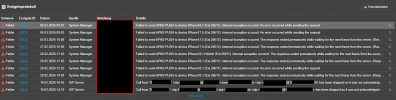
Hi all. APNS failures have been occuring since 02/24/25, unsure what the trigger was.

Anyone have clues on how to fix? I've tried re-provisioning the soft phones with new QR's, updating to the latest RC build and reinstalling the latest public version which doesn't allow me to restore from a backup.

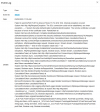
Unsure what I'm missing here, any clues? Image attached, thanks in advance.
 

Attachments

  • 1741195041265.png
    1741195041265.png
    100.2 KB · Views: 27
We are having the same error.( Version 20.0 Update 5 (Build 551 Release)
"50020 Failed to send APNS PUSH to device iPhone 11 (Ext.102). Internal exception occured: System.Net.Http.HttpRequestException: The response ended prematurely while waiting for the next frame from the server. (ResponseEnded) ---> System.Net.Http.HttpIOException.

We never had these errors in the previous release of 3CX. Can you please share a remedy
 
I see the same error as InfoMyndTech describes in the Version 20.0 Update 8 (build 1089). Does anyone have a remedy for this? Or pointer what is the origin of this error?
 
I see the same error as InfoMyndTech describes in the Version 20.0 Update 8 (build 1089). Does anyone have a remedy for this? Or pointer what is the origin of this error?
Try disabling IPv6. We've seen many of those Push errors being caused by bad IPv6/v4 conversion in some cloud providers which caused these Push issues (and others as well in some cases.)
 
  • Like
Reactions: bitn2
How to disable IPv6 on the 3CX SMB hosted by 3CX?
 
  • Like
Reactions: MarH
The error (response ended) specifically confirms that the 3CX Hosted server is failing to maintain a stable HTTP/2 connection with Apple’s Push Notification service (APNs). Since this is a Shared Instance, the 'bad IPv4/IPv6 conversion' or 'cloud provider' routing issues being cited are internal to the 3CX shared hosting environment, which the end-user has no power to change.

3CX needs to:
  1. Check for Egress Throttling: verify if the shared hosting IP is being rate-limited by Apple due to the high volume of push requests from multiple hosted instances. Because they certainly will if they are getting smashed, to protect themselves.
  2. Audit Proxy Timeouts: make sure the internal proxies or load balancers managed by 3CX aren't cutting the persistent HTTP/2 frames before they reach Apple.
  3. Fix Dual-Stack Conflicts: If the shared nodes are trying to reach Apple via a misconfigured IPv6 route, 3CX needs to force the traffic over a stable IPv4 path.
Because the native iOS app depends entirely on these VoIP push signals to wake up for a call, the server-side timeout must be fixed at the hosting level.
 
Just hope someone from 3cx can help. There is no support for smb.
Guess I'm answering in threes today...the only way to potentially help your Apple users:
  1. Tell them NOT to flick-close the app, leave it in the app drawer/carousel.
  2. Turn off low data mode. This mode kills background networking frames to save data, which triggers that "ResponseEnded" error on the server side.
  3. Delete and reinstall the app to flush the poisoned token and hopefully get a new one from 3CX.​
If 3CX’s shared hosting nodes are hitting Egress Throttling at Apple, there is nothing the user can do. The "ResponseEnded" error is a literal "hang up" between 3CX and Apple. If 3CX won't fix their proxy timeouts or IPv6 routing on their shared nodes, the native app will remain unreliable for those users.
 

Members Online Now

Forum statistics

Threads
111,832
Messages
589,278
Members
164,662
Latest member
DejanMDS