3cx and hubspot template not connecting

Status
Not open for further replies.

future10

Bronze Partner
Joined
May 17, 2012
Messages
7
Reaction score
1
Hi Guys


I have spend a good deal of time trying to troublshoot this, and we are trying to connect to app-eu1.hubspot.com
Changing the domain did not work, downloanding the template here
https://www.3cx.com/community/threa...-https-app-eu1-hubspot-com.87745/#post-415590

I even edited this to update all the URI's to be shure. But in every instance I got

Couldn’t complete the connection​

An error occurred while validating the app authorization.

I was on to HubSpot support to see if there is anything they can see, but to be honest with you I am expecting an answer sometime in 2029

If anyone else has recently got over this issue it would be great. We are using a self hosted 3cx in Europe.
 
The template from 3CX should work if the domain is entered correctly.

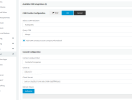
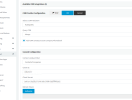
Can you show your 3CX HubSpot config? (Hide sensitive data.)
 
Thanks, here you are
1659361108208.png
 

Attachments

  • 1659361084506.png
    1659361084506.png
    38.7 KB · Views: 10
I also meant to say the default template did not work, changed the domain and it did not work. I was on to Hubspot and they said (as they alwasy do) it is the app.
I will delete the hubspot account and recreate, just incase I did something there, checked it few times >:¬{
 
Ok, I need a labotomy, did something stupid, even verifying a few times.

It was my bad... so if some one searches this, skip!
 
  • Like
Reactions: Evolute IT
@future10 Can i ask what your mistake was? I'm having a similar issue since changing to the HubSpot EU Portal. Calls are logging, but the contact is not popping up
 
Thanks, @TheodorosG_3CX Match strategy is correct.

I was able to identify the 'issue' i was having.

Seems that previously, when a call came in, the pop-up would happen when the call was presented to the agent, however, now it seems that the pop-up happens only when the call is answered.
 
That is correct since SP5 the pop-up will happen when the call is connected.
 
That is correct since SP5 the pop-up will happen when the call is connected.
Hasn't it been reverted since many people somehow wanted it on ringing? Nick had said so.

The best would be to have the option to choose like we had before for the custom URL, but apply it to the server-side CRM.
 
Agreed, if we could have the option to choose, that would be better.

We've found that if calls are answered via a desk phone or the mobile app, the record isn't displayed.

Currently, the record is only displayed if the call is answered via either the WebClient or the Desktop App (not legacy client)
 
Agreed, if we could have the option to choose, that would be better.

We've found that if calls are answered via a desk phone or the mobile app, the record isn't displayed.

Currently, the record is only displayed if the call is answered via either the WebClient or the Desktop App (not legacy client)
If the DesktopApp is in CSTA mode (controlling the deskphone), the URL should open correctly.

The mobile app, however, doesn't support that.
 
Status
Not open for further replies.

Forum statistics

Threads
112,147
Messages
590,961
Members
165,167
Latest member
Finatra.us