3CX and SIP PROXY (DD-WRT)

Status
Not open for further replies.

tobiastromm

Free User
Joined
Jun 26, 2010
Messages
149
Reaction score
1
Hi,

I am trying to use one feature from DD-WRT router firmware called "SIP Proxy". This feature is used to avoid the use of bandwith to SIP Server on local calls.

Please read here do understand http://wiki.milkfish.org.sipwerk.com/in ... ndExamples .

So, after enable it and set my ATAs device to use the outbound proxy to point to DD-WRT I am having some issues.

I can dial locally from one extension to another (remote extensions on VPN client house), but when I try to reach the other extensions or gateway (on VPN Server and SIP Server side)I receive the following message:

"[CM503013]: Call(C:1248): Incoming call rejected, caller is unknown; msg=Invite-IN Recv Req INVITE from"

Here is the message from 3CX log:

Code:
03-ago-2016 16:51:30.323   [CM502001]: Source info: From: <sip:[email protected];user=phone>;tag=0c3314de4c336d13; To: <sip:[email protected];user=phone>
03-ago-2016 16:51:30.323   [CM503013]: Call(C:1249): Incoming call rejected, caller is unknown; msg=Invite-IN Recv Req INVITE from 10.1.1.18:5060 tid=534a.cbcf3f74.0 [email protected]:
INVITE sip:[email protected];user=phone SIP/2.0
Via: SIP/2.0/UDP 10.1.1.18;branch=z9hG4bK534a.cbcf3f74.0
Via: SIP/2.0/UDP 192.168.11.68;branch=z9hG4bK76326412b3a279a1
Max-Forwards: 69
Record-Route: <sip:10.1.1.18;r2=on;ftag=0c3314de4c336d13;lr=on>
Record-Route: <sip:192.168.11.65;r2=on;ftag=0c3314de4c336d13;lr=on>
Contact: <sip:[email protected]:5060;user=phone>
To: <sip:[email protected];user=phone>
From: <sip:[email protected];user=phone>;tag=0c3314de4c336d13
Call-ID: [email protected]
CSeq: 9416 INVITE
Allow: INVITE, ACK, CANCEL, BYE, NOTIFY, REFER, OPTIONS, INFO, SUBSCRIBE, UPDATE
Content-Type: application/sdp
Proxy-Authorization: Digest username="111",realm="3CXPhoneSystem",algorithm=MD5,uri="sip:[email protected];user=phone",nonce="414d535c0db2dc4202:e44782edf4d1171278282ad410b7b458",response="7ed0a00a0e6a2fc6dc431fe5c4d60864"
Supported: replaces, timer
User-Agent: Grandstream HT487 1.1.0.45 DevId 000b82091fd3
Content-Length: 376

v=0
o=111 8000 8001 IN IP4 192.168.11.68
s=SIP Call
c=IN IP4 10.1.1.18
t=0 0
m=audio 41456 RTP/AVP 0 8 4 18 2 97 101
a=sendrecv
a=rtpmap:0 PCMU/8000
a=rtpmap:8 PCMA/8000
a=rtpmap:4 G723/8000
a=rtpmap:18 G729/8000
a=fmtp:18 annexb=no
a=rtpmap:2 G726-32/8000
a=rtpmap:97 iLBC/8000
a=fmtp:97 mode=20
a=ptime:20
a=rtpmap:101 telephone-event/8000
a=fmtp:101 0-15
03-ago-2016 16:51:30.115   [CM500002]: Unidentified incoming call. Review INVITE and adjust source identification:
Invite-UNK Recv Req INVITE from 10.1.1.18:5060 tid=834a.9e92a964.0 [email protected]:
INVITE sip:[email protected];user=phone SIP/2.0
Via: SIP/2.0/UDP 10.1.1.18;branch=z9hG4bK834a.9e92a964.0
Via: SIP/2.0/UDP 192.168.11.68;branch=z9hG4bK825ff1d42c8acc6a
Max-Forwards: 69
Record-Route: <sip:10.1.1.18;r2=on;ftag=0c3314de4c336d13;lr=on>
Record-Route: <sip:192.168.11.65;r2=on;ftag=0c3314de4c336d13;lr=on>
Contact: <sip:[email protected]:5060;user=phone>
To: <sip:[email protected];user=phone>
From: <sip:[email protected];user=phone>;tag=0c3314de4c336d13
Call-ID: [email protected]
CSeq: 9415 INVITE
Allow: INVITE, ACK, CANCEL, BYE, NOTIFY, REFER, OPTIONS, INFO, SUBSCRIBE, UPDATE
Content-Type: application/sdp
Supported: replaces, timer
User-Agent: Grandstream HT487 1.1.0.45 DevId 000b82091fd3
Content-Length: 376

v=0
o=111 8000 8000 IN IP4 192.168.11.68
s=SIP Call
c=IN IP4 10.1.1.18
t=0 0
m=audio 41456 RTP/AVP 0 8 4 18 2 97 101
a=sendrecv
a=rtpmap:0 PCMU/8000
a=rtpmap:8 PCMA/8000
a=rtpmap:4 G723/8000
a=rtpmap:18 G729/8000
a=fmtp:18 annexb=no
a=rtpmap:2 G726-32/8000
a=rtpmap:97 iLBC/8000
a=fmtp:97 mode=20
a=ptime:20
a=rtpmap:101 telephone-event/8000
a=fmtp:101 0-15

And here is the log from it working without SIP PROXY (removing outbound proxy from ATA):

Code:
03-ago-2016 16:53:06.815   [CM503007]: Call(C:1250): Extn:111 has joined, contact <sip:[email protected]:5060>
03-ago-2016 16:53:06.813   L:1250.2[Line:10000>>10314] has joined to L:1250.1[Extn]
03-ago-2016 16:53:06.813   [CM505002]: Gateway:[JVL - 34260694] Device info: Device Not Identified: User Agent not matched; Capabilities:[reinvite, replaces, able-no-sdp, recvonly] UserAgent: [OBIHAI/OBi110-1.3.0.2872] PBX contact: [sip:[email protected]:5060]
03-ago-2016 16:53:04.357   [CM503025]: Call(C:1250): Calling T:Line:10000>>10314@[Dev:sip:[email protected]:5060] for L:1250.1[Extn]
03-ago-2016 16:53:04.318   [CM503027]: Call(C:1250): From: Extn:111 (<sip:[email protected]:5060>)  to  T:Line:10000>>10314@[Dev:sip:[email protected]:5060]
03-ago-2016 16:53:04.318   [CM503004]: Call(C:1250): Route 1: from L:1250.1[Extn] to T:Line:10000>>10314@[Dev:sip:[email protected]:5060]
03-ago-2016 16:53:04.318   Line limit check: Current # of calls for line Lc:10000(@JVL - 34260694[<sip:[email protected]:5060>]) is 0; limit is 1
03-ago-2016 16:53:04.318   Call(C:1250): Call from Extn:111 to 010314 matches outbound rule 'Regras para JVL - 34260694'
03-ago-2016 16:53:04.316   [CM503001]: Call(C:1250): Incoming call from Extn:111 to <sip:[email protected]:5060>
03-ago-2016 16:52:54.679   [CM504001]: Endpoint Extn:111: new contact is registered. Contact(s): [sip:[email protected]:5060 / 111]
03-ago-2016 16:51:30.357   Leg L:1249.1[Unknown:] is terminated: Cause: BYE from PBX

 
Well...

Apparently, it work if I change under Settings -> Network -> FQDN -> Local SIP domain -> 10.1.1.18 (the IP from SIP PROXY)...

But, I need to use my NO-IP alias here, other way the tunnel will not work for Android Phones.

So, what I need to do do both of then work? How can I add more than one Local SIP domain?

Thanks.
 
Have you tried setting one network to 10.0.1.X and the other to 10.0.0.X, then using a subnet mask (everywhere) of 255.255.0.0 so that all devices view the larger network as "local"?

If the DD-WRT router is remote (I assume), is it a VPN tunnel connection (client) to the other router?
 
leejor said:
Have you tried setting one network to 10.0.1.X and the other to 10.0.0.X, then using a subnet mask (everywhere) of 255.255.0.0 so that all devices view the larger network as "local"?

If the DD-WRT router is remote (I assume), is it a VPN tunnel connection (client) to the other router?

I fix the problem by enabling one option on SIP PROXY called "From-Substitution" and on the field "From-Domain" I type the same FQDN name I have under Settings -> Network -> FQDN -> Local SIP domain (See attached file).

But, after that I can't use the gateway to receive calls, only to make...
 

Attachments

  • fix.png
    fix.png
    2.4 KB · Views: 706
What I am trying to do here is to keep audio between remote ATA and Gateway local.

At the beach house I have two ATAs and one PSTN Gateway.

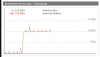
If I call from one ATA to another there is no VPN trafic (just SIP messages go trough the tunnel).

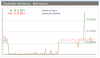
Now, when I call from one ATA using the local gateway I see VPN trafic.

Why that happen since they are at the same place?

Thanks.
 

Attachments

  • Calling from HT486 to HT486.png
    Calling from HT486 to HT486.png
    144.7 KB · Views: 703
  • Calling from HT486 to GXW4104.png
    Calling from HT486 to GXW4104.png
    137.6 KB · Views: 703
The gateway is going to (I believe) behave differently from that an ATA as it is a trunk and not another ATA. The DD-WRT firmware is probably in the the same boat. You can't have Milkfish manage the remote end for everything. It can handle internal calls, as it keeps track of extension registrations, but outgoing calls go back to 3CX, it would seem, then back to the remote extension, and you might have to live with that.

The gateway registers with 3CX using a trunk number. You don't actually dial that number locally so milkfish can't make use of it.
 
But even without using milkfish, the audio stream should not stay local if I uncheck "PBX Delivers Audio" under extensions and Gateway?

Because for call between ATAs, even without milkfish the audio stay local.

So I try mikfish, thinking that may fix the local audio for the gateway, but as you see it don't.

-x-

The way things are working is better to use the gateway from another house (the remote gateway), because it consume less bandwidth that the local gateway. See attached.

The max VPN speed is 100 KB/s | 100KB/s (up/down).
The local gateway use 20KB/s | 20KBs (up/down) of the tunnel.
The remote gateway use 10KB/s | 10KB/s of the tunnel.

When I use local gateway sometimes the call have bad audio, which make no sense, since it use only 20KB of 100KB available (off course, can be less if another things are travelling over VPN at the same time, but I test it whithout).

When I ping the VoIP server from beach house over VPN the delay is 41ms, thats ok.

Probably the call quality would be better if the audio stay local, and not go over VPN and return back...
 

Attachments

  • Using Remote Gateway.png
    Using Remote Gateway.png
    12.1 KB · Views: 695
If you are using VPN, then the remote devices should be seen no differently than being on the "main" network. In fact the IP numbering range should be identical. In theory, that's the way is should work, but because of "some" settings, it may not. You might have to re-think the entire set-up. As an inexpensive alternative, if you can't get the current configuration working with the equipment you have (and the gateway does throw a wee bit of a monkey wrench into the mix), you might consider trying the 3CX Raspberry-Pi SBC, although, whether or not a gateway will function properly behind it, is the big question.

I have used a gateway "remotely" but it was an SPA-3102, and the local extension was using the FXS port of that device so that any local calls went out on the PSTN line, and vice-versa, based on the internal dial plan. Unanswered PSTN calls would still route back to the 3CX voicemail.
 
leejor said:
If you are using VPN, then the remote devices should be seen no differently than being on the "main" network.

Exactly, thats the reason why I believe that just unchecking "PBX Delivers Audio" should fix that issue.

leejor said:
In fact the IP numbering range should be identical. In theory, that's the way is should work, but because of "some" settings, it may not. You might have to re-think the entire set-up.

Thtat's not a problem, all IPs can reach each other without problem and there is no firewall.

leejor said:
As an inexpensive alternative, if you can't get the current configuration working with the equipment you have (and the gateway does throw a wee bit of a monkey wrench into the mix), you might consider trying the 3CX Raspberry-Pi SBC, although, whether or not a gateway will function properly behind it, is the big question.

I was trying it right now (see my questions here: http://www.3cx.com/blog/docs/session-bo ... nt-page-1/). I Installed it on windows. I don't like it because there is no option to use it under VPN, I already suggest that. That means, even with a VPN I need to use WAN (for 3CX tunnel), it should have a option to connect using the local address for cases like this...

Anyway I test it on Windows right now, but, audio still keep goind to 3CX Server and returning, as you can see, but now on the WAN interface, because of what I explain above.

leejor said:
I have used a gateway "remotely" but it was an SPA-3102, and the local extension was using the FXS port of that device so that any local calls went out on the PSTN line, and vice-versa, based on the internal dial plan. Unanswered PSTN calls would still route back to the 3CX voicemail.

I understand the way you are using, I can dial directly, but I really like 3CX for make rules, logs and have a complex network : -) I am a little "nerd" hehe.
 

Attachments

  • SBC.png
    SBC.png
    19.3 KB · Views: 680
I'm a bit surprised that you've found, when using VPN, audio would still pass back through the PBX rather than go direct from extension to extension. If it doesn't do that with extensions at the server end, then I question why it would do that at the remote end when using a VPN connection (unless there is a Codec incompatibility). I'm sure that there are a number of other forum users that employ VPN , I'd be interested in hearing their comments on that.
 
leejor said:
I'm a bit surprised that you've found, when using VPN, audio would still pass back through the PBX rather than go direct from extension to extension. If it doesn't do that with extensions at the server end, then I question why it would do that at the remote end when using a VPN connection (unless there is a Codec incompatibility). I'm sure that there are a number of other forum users that employ VPN , I'd be interested in hearing their comments on that.

Leejor, only when using the gateway.

If I call from one extension to another extension, the audio ramain local only.
 
tobiastromm said:
only when using the gateway.

That is that way it is going to work. Think about it...Milkfish is able to connect extension to extension because it sees (intercepts as a proxy) the registrations of the extensions. It will see the registration of the gateway, but the trunk number used (10001?), is not dialled by any of the local extensions. Outside calls go to 3CX to be processed, which then routes the call back to the gateway. I'm afraid that you will have to live with that. I can't see a way around it.

There have been a few that have attempted to locate a PSTN gateway at the remote location where all of the extensions also reside, when using a hosted server. I don't recall it working well, if at all. Most opt for VoIP trunks direct to the hosted server end.
 
I understand, make total sense.

I was testing without milkfish already.

I also try with SBC, without SBC, directly, but as you say, probably i need to live with that.

For testing purpose I will still test another gateway directly too.
 
If bandwidth is that much of an issue, and you are desperate. You cold try...(behind milkfish), setting the gateway to two stage dialling, then dial the trunk number of the gateway from another local extension. If everything else is set correctly, you should get dialtone from the PSTN line, and can then dial out "manually". That, of course, would stop any extension not at the remote end, from accessing the gateway, as they would require it be set to one stage dialling. Incoming would still ring where they should.

If you are going to do that you might as well just plug a phone into the PSTN socket for outgoing calls.
 
Status
Not open for further replies.

Latest Posts

Forum statistics

Threads
111,848
Messages
589,353
Members
164,683
Latest member
sjacquart