Solved 3CX Client for 3CX Phone System -> callto

Status
Not open for further replies.

hasler

Customer
Basic Certified
Joined
Jan 7, 2009
Messages
41
Reaction score
0
Hi.
I use the latest 3CX Client for 3CY Phone System Version 16.3.0.261
The "callto" function in Chrome does not work.
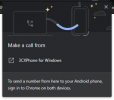
It opens the popup after clicking on the number, but when I click "3CXPhoneSystem" nothing happens.

Can anyone help me with this?

Thanks

Andreas
 
Are you referring to this:
1631280232728.png

If yes, does it actually read "3CXPhoneSystem"? If yes, it should, instead it should say "3CXPhone for Windows".

If it does say "3CXPhone for Windows" but still doesn't work, try completely exiting the 3CX Windows App from "Settings >> Exit Client", then go to the "Windows default apps", click on "Choose default apps by protocol" and find the "TEL:" protocol in the list, deselect the 3CX Windows app(select something else) and then reselected it, completely restart Google Chrome, launch the 3CX Windows App and give it another go.

Do let me know what happens.
 
  • Like
Reactions: Evolute IT
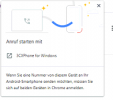
Hi Chris.

1631284793173.png

I did the change with the tel. protocol in windows, restartet Chrome an the 3CX Windows App, but without luck.
When I click on the chrome pop up nothing happens.
 
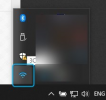
The only logical reason that would happen is if the 3CX Windows App is not running. Before clicking on the popup, make sure that the App is running and open or at least visible in the system tray:
1631285983002.png


If it still doesn't work, it might be a good idea to uninstall, reboot and reinstall the 3CX Windows App. You can download it from the customer portal.
 
The app was running.
Just uninstalled the 3CX App, downloaded it from the customer portal, started the app, after the updater installed the newest version. Then I tired again in Chrome, still remains the same .. nothing happens
 
Is the link you're using public? Is there any chance you could provide us with that link?
(You can PM me the link if you prefer.)

Try adding each of the following in a separate text file and then save the file as .html. Open each with your browser and test again, do you get the same behavior for any of them?

CALLTO Link:
Code:
<a href="callto:123-456-7890">123-456-7890</a>

TEL Link:
Code:
<a href="tel:123-456-7890">123-456-7890</a>
 
Hi Chris. Just tested with your links, but I have the same result. The browser asks me to open "3cx Phone for Windows" but then nothing happens.
 
Well that is strange, can you confirm if this is only happening on one specific PC?

Could you perhaps try a different browser such as the latest version of Firefox?
 
I tried with Chrome, Firefox and Edge, also tested on another PC with the same result.
 
Do the PC's have anything in common in regards to configuration or software such as same antivirus or anything else? As I cannot reproduce this issue and everything works fine, I can only assume it has something to do with the specific setup on these PCs.

By the way, if you're running 3CX v18, you might also want to give the new 3CX Desktop App a go as well and see if it does the same thing. Just make sure that you've set it as the default App for the callto and tel protocols before trying:
1631522326441.png
1631522330384.png
 
The PCs are in two different locations and has nothing in common also different antivirus.
The links works correctly with the 3CX Desktop APP.
I have to use the 3CX Phone App for the Outlook integration.
 
I'll PM you for more information regarding this.
 
After looking into the matter with hasler, we have determined that this is occurring due to the 3CX License Key edition being used for these PBXs.

To explain, the 3CX Windows App (3CX Phone for Windows) requires that the 3CX PBX it's connected to is using a Pro or ENT License Key in order for Click2Call to work.

Note: This limitation does not apply for the 3CX Webclient or the new 3CX Desktop App.
 
  • Like
Reactions: jed
Status
Not open for further replies.

Forum statistics

Threads
112,025
Messages
590,368
Members
164,978
Latest member
FringeIT-Eric