3CX Conference Miss Meeting Report.

Status
Not open for further replies.

Masaki

Titanium Partner
Advanced Certified
Joined
Mar 23, 2020
Messages
60
Reaction score
8
Good afternoon,
.
I have 3cx Pro 24 simcall V16 Version 16.0.8.9
A client of mine created a meeting, about 1 hours.
He recorded the meeting, but I didn't get the email to download the recording.

- I can test send welcome email success. Can received mail.
- Use SMTP : 3CX SMTP Server, Test it pass. Can received noti mail.

Thanks
Looking forward to your reply
 
Hi @Masaki,

It's only the organizer who will receive the recording link via mail after the meeting recording has concluded. Did your client receive an email on the email address associated to the extension that created the meeting?
 
Hi @Masaki,

It's only the organizer who will receive the recording link via mail after the meeting recording has concluded. Did your client receive an email on the email address associated to the extension that created the meeting?

Thank ypu for reply.

Yes. I Test fix my email is gmail in extension 555 and bulted Schecdule Conference . This ext, is the organizer to create the meeting.
 
Hi @Masaki,

Great to hear, did 555's gmail email receive the recording link via mail?
 
Hi VasilisV_3CX,
I check this gmail is not receive mail meeting report.
 
Hi @Masaki,

To confirm: Had you received the reports using that Gmail email address before, in the past? Have you tried this on another email address?

Have you made sure that your Phone System HTTPS port is open? (commonly 5001 or 443 TCP)

The webmeeting portal will connect to it to transmit reports data after each meeting.
 
Hi @VasilisV_3CX,

Sorry for slow to reply, To re-check

Before ext.555 to set mail agent and can not received mail right, I Change to set another mail (My Email Gmail) and test agian. not received too.
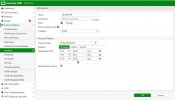
Check Port 5001 and 443 TCP allow port already set. in Server and Firewall. Test Schedule agian,
But not fix problem.
 

Attachments

  • 1631524184174.jpg
    1631524184174.jpg
    187.4 KB · Views: 3
  • firewall.jpg
    firewall.jpg
    90.6 KB · Views: 3
  • in.jpg
    in.jpg
    163 KB · Views: 3
Hi @Masaki,

Upon further investigation - the 1hr12 minute session was not recorded, this only happens when someone does not click record when in the meeting.

Also note, I noticed that you installed using 443 as your HTTPS port, you can try to connect to your fqdn:443 you'll see that it points to your firewall. You may want to clean this up.
 
I supplied my click to meet url today and proceed with my meeting, i clicked record and could clearly see th ebig red circle. it was an important meeting held some 3 hours ago. still waiting for the report so I can share it with my client - nothing so far.
 
Hi @Chris Palmer,

Can you PM me the meeting joining link details to confirm that a recording was made?
 
Status
Not open for further replies.

Forum statistics

Threads
111,973
Messages
590,078
Members
164,896
Latest member
sameage