3CX configuration for iiNet

Status
Not open for further replies.

Coastie

Joined
Aug 24, 2009
Messages
1
Reaction score
0
I have installed version 7 od 3CX on a Windows XP machine and tried to configure it to connect to an iiNet voip service. 3CX appears to register with the iinet SIP server OK but when I try to make calls I get a iiNet response 403 Forbidden. Has anybody else succeeded in getting a 3CX system to work with iiNet and would you have any pointers for success?
 
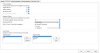
* VoIP SIP domain: iinetphone.iinet.net.au
* SIP server: sip.state.iinet.net.au (where state is your location, e.g. NSW)
* Username: Your VoIP phone number (remove formatting such as spaces and brackets)
* Password: Your VoIP password
* Reregistration time interval: 300 seconds
* Codec preference:: G.729, then G.711 (u-Law and/or a-Law)
* DNS: : Use SRV records
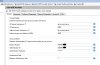
* Phone number: Your VoIP number
* Display name: iinetphone
* SIP domain: iinetphone.iinet.net.au
* SIP server: sip.state.iinet.net.au (where state is your location, e.g. VIC)
* Proxy IP: sip.state.iinet.net.au (where state is your location, e.g. WA)
* Registrar IP: sip.state.iinet.net.au (where state is your location, e.g. QLD)

* ACT: sip.act.iinet.net.au
* NSW: sip.nsw.iinet.net.au
* NT: sip.nt.iinet.net.au
* QLD: sip.qld.iinet.net.au
* SA: sip.sa.iinet.net.au
* TAS: sip.tas.iinet.net.au
* VIC: sip.vic.iinet.net.au
* WA: sip.wa.iinet.net.au


I assume you have properly configured your firewall..

Have you setup an outgoing proxy or a dial plan?
 
Hi Coastie,

Yep, agree 100% with tpinnovations post.

It worked simply first time for me.

The only tricky things might be :
Username for iiNet is your DID number including the area code. i.e. for me in Melbourne it commences with 03.
Password is your voip password allocated to you by iiNet in the introductory email. It is not your iiNet Toolbox password which you likely generated yourself at initial logon.

Otherwise, all is pretty straight forward.

Hope this helps.
thenua
 
Hey Folks,

Can you tell me - are you setting up your connection to iiNet as a 'Generic SIP Provider' or 'Generic VoIP Provider'?

Cheers
Ed
 
wow - it just worked - how about that - I'm staggered. I had been using iiNet BOB - turned that off on the BOB router - and configured a new 'Generic VoIP Provider' and entered about 4 things and that was it - so after fighting various VSP's all day - I'm in shock.

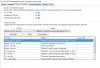
For the record - I changed nothing on the Advanced/Outbound/Inbound/Source or DID pages
 

Attachments

  • CX3Advanced.jpg
    CX3Advanced.jpg
    138.5 KB · Views: 2,027
  • iinet3cx.jpg
    iinet3cx.jpg
    121.4 KB · Views: 2,027
  • outboundiinet3cx.jpg
    outboundiinet3cx.jpg
    183.9 KB · Views: 2,025
Status
Not open for further replies.

Latest Posts

Forum statistics

Threads
111,881
Messages
589,535
Members
164,739
Latest member
wmlcon