3CX Converter not working?

Alphabetic

3CX MVP
Silver Partner
Advanced Certified
Joined
Jul 1, 2016
Messages
6,558
Reaction score
2,571
Hi guys

is this down?

i've tried different browsers and sandbox.

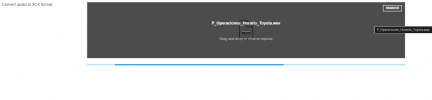
when I upload the audio nothing happens, im just stuck like this:
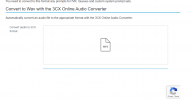
1763732038183.png
 
Audacity does a great free job too at this if it’s down and you need to convert.
 
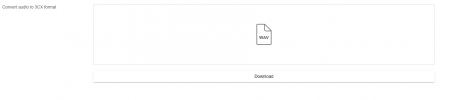
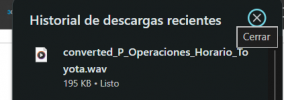
Hi, it is working

1763732547671.png


1763732557812.png

1763732597650.png
 
@Alphabetic seems to be a regional reachability problem, should be back up for you soon I would expect. Try again in a few minutes or give Audacity a go if it can't wait.
 
  • Like
Reactions: Evolute IT
thanks all.

ive been using audacity
 
Not working in New Zealand either :-(
 
Hi,

We are checking and it is working. There seems to have been a relatively high number of global internet routing issues in the past week which unfortunately we cannot do much if anything about.

In some occasions it might be a local caching issue, so always give it a try in incognito mode as well.
 
I am using the audio converter to prepare a .mp3 file for use in my customers v20 pro 8sc. I convert the 6mb mp3 and the output has no audio. I uploaded the .wav file to chatgpt to analyze and it says that the audio has been set to "far below audible level" Has anyone else had a similar result?

CHATGPT OUTPUT:

Yes — I analyzed the WAV file itself, and the file is technically valid, but the audio content is effectively silent, which is why it appears to “not play” on Ubuntu.
Here’s what’s going on in clear terms.

✅ What’s not wrong with the file​

The WAV container is correct and standards-compliant:
  • Format: PCM WAV (uncompressed)
  • Channels: Mono
  • Sample rate: 8000 Hz
  • Bit depth: 16-bit
  • Duration: ~0.38 seconds
  • File size: Correct for the format (no corruption)
Linux audio players should be able to open this file without errors.

❌ What is wrong​

The audio signal level is almost zero (near total silence)​

Measured amplitude:
  • Peak level: ±0.00003 (normalized)
  • That’s ~-90 dBFS, effectively silence
In practical terms:
  • The waveform exists
  • But it is far below audible level
  • Most players will appear to play it, but you’ll hear nothing
This is not a codec or Ubuntu issue — it’s an audio gain problem.

Likely causes​

One of these happened during ripping or conversion:
  1. Incorrect gain scaling during conversion
  2. Bit-depth mismatch (e.g., 24-bit → 16-bit done incorrectly)
  3. Faulty normalization (divided instead of multiplied)
  4. Bad SRC chain (sample-rate conversion error)
  5. Damaged source audio before WAV export
The filename strongly suggests it was converted from another format, which is where this usually goes wrong.

 
To be clear, since I'm a little unsure, you are providing a .mp3 file that should be converted to .wav, correct? We all understand that 3CX only plays .wav files. To this old man, your description of what you are trying to achieve was unclear.

You may want to try Audacity. It is an easy-to-use, open-source application that can convert your files to the correct .wav format if you cannot get the 3CX converter web page to work properly.
 
Last edited:
  • Like
Reactions: Evolute IT and N_G
My original file size was too large, once I split it in half the 3cx converter worked fine.
 
My original file size was too large, once I split it in half the 3cx converter worked fine.
Audacity then: look above at the link and scroll down the site.
 

Latest Posts

Forum statistics

Threads
111,953
Messages
589,915
Members
164,851
Latest member
DrunkeMeister