3CX not working properly after upgrade to 12.5

Status
Not open for further replies.

Javier Casares

Bronze Partner
Joined
Dec 5, 2009
Messages
102
Reaction score
5
First, it isn't clear if the 12.5 release was officially released or not. It seems so as it's available to download on the 3CX download page.

Well, we got the issue of being using a 32bits system that seems not to be supported anymore. We installed a new 64 bits OS to replace our IP PBX and proceeded with the common restore of a previous backup of v12 (SP6). The PBX started up but we had two issues:

1. The phones weren't registering to the PBX. While analyzing the issue we found that the interface where the phones were provisioned with was changed to the public one that has no connection to the phones. Before, it was set with the private address like shown bellow. This happened to all our extensions and we needed to change one by one.


2. When someone called to our PBX the greeting starts but doesn't allow you to dial any extension or select the options presented. You also aren't able to hear the one calling while they are able to hear you.

So, we thought something went wrong with the migration to 64 bits. New VM, new configuration, something we did wrong for sure. So we did a new try and started from scratch again. This time we installed v12 SP6 (the one we had before) and did the restore of the backup from the other PBX. This worked as expected. No issue with phone registration and no issue with incoming calls.

So, next step was to upgrade this working installation. Well, the outcome was the same as the first try. Extensions not being registered because of wrong configuration and hearing incoming calls plus dial tones not working again.

We had to revert but we wonder what changed in 12.5 that doesn't work well with our setup. We found a bug or 3CX won't work anymore in the special design we use?

Attached is a diagram of our setup so it's understandable how we work. This worked well since v8 when we started to use it.

Any insight or help will be appreciated.

 

Attachments

  • provisioning.png
    provisioning.png
    16.8 KB · Views: 1,633
  • design.jpg
    design.jpg
    1.7 MB · Views: 1,633
Everything I see online in the forums says 3cx - 1 NIC card and 1 NIC card only.
If you have it working in 12 - that's great... but not the way it was designed from my understanding.
 
That doesn't relate to this


and other places where the GUI allows you to select which interface to use.
 

Attachments

  • 3CX.png
    3CX.png
    24.1 KB · Views: 1,589
I believe Craig is correct.

Only one NIC can be used to support the VoIP activity. You can certainly have more than one NIC, but not with regard to the provider and the phones. 3CX expects to see all traffic coming to the Private IP for the 3CX interface.

The phones would not register as 3CX (advanced settings) limits the private network to the standard subnets for internal networks. The NIC was apparently set to the other interface. The phones were likely provisioned to the internal network IP and therefore they could not register.

The system now has some added features which allows for the customization of the headers going back to the provider. This may help solve some NAT problems with troublesome routers.

While it may seem from the screenshots that the phone provisioning and the 3CX interface are separate, they are not. The 3CX system will only bind to one network card. The phone provisioning is telling the phone to use either the local lan IP or the public if outside the LAN. If outside, then the router is expected to forward to the local interface.

Because you have 2 NIC cards, the system sees them as a function of the hardware discovery, so you do have a choice, but only one NIC can be used and that should be the private subnet.
 
Well, we made the change to have a single interface on the server and do the routing at our firewall. That ended quite well with v12 but v12.5 is showing the same problem with no incoming audio in calls. So the issue wasn't our design but something that changed in this new version and is affecting our setup. I saw already someone (Landon) reporting this issue in the blog post of the release.

http://www.3cx.com/blog/releases/12-5-phone-system-presentation/

Any help?
 
And to which NIC is it pointed (the public or internal)? Are the ports forwarded in the router to the NIC (you indicated yes) and is any software firewall that stands between the system and the internet either off or suitably modified to allow the traffic?

This is most likely a firewall issue. Hundreds, if not thousands of others, would be showing up on the forums with the same issue if a design issue and I note that the poster in the reference has not posted again since January. However, make sure that SIP ALG in the router is off.

You need to make sure that under VoIP provider, advanced you have the correct IP, then in Setting Network, the FQDN is correct with the external IP or FQDN provided it points to the same. Then you also need to do the same for STUN. If you have a fixed/static public IP, turn STUN off and insert the IP into the needed space. On Settings, advanced do the same for SIP calls if needed. Stop the system and then run the firewall test. If OK. then you should be OK. If OK, then restart the system.

Keep in mind that 12.5 allowed for more/different ports to be used. I have converted quite a few systems from 12 to 12.5 (using the same settings) and have yet to run into an issue.

Either the firewall is not allowing the RTP (voice packets) thru or one of the above settings is telling the media server to send the RTP to the wrong IP or finally, the router is
 
lneblett said:
And to which NIC is it pointed (the public or internal)?
There is only one NIC now.

lneblett said:
Are the ports forwarded in the router to the NIC (you indicated yes) and is any software firewall that stands between the system and the internet either off or suitably modified to allow the traffic?
Having v12 working validates the traffic setup, so it's not network configuration on the outside (NAT, ACL, routes, etc).

lneblett said:
This is most likely a firewall issue. Hundreds, if not thousands of others, would be showing up on the forums with the same issue if a design issue and I note that the poster in the reference has not posted again since January. However, make sure that SIP ALG in the router is off.
If it were a firewall issue, the v12 installation before the upgrade would be affected as well. SIP support on the firewall is disabled.

lneblett said:
You need to make sure that under VoIP provider, advanced you have the correct IP
That I didn't check but I suppose the upgrade shouldn't change it.

lneblett said:
then in Setting Network, the FQDN is correct with the external IP or FQDN provided it points to the same. Then you also need to do the same for STUN. If you have a fixed/static public IP, turn STUN off and insert the IP into the needed space.
FQDN is set with the "public" IP, STUN is disabled and set with that same IP because if not it won't work.

lneblett said:
On Settings, advanced do the same for SIP calls if needed.
We don't use it.

lneblett said:
Stop the system and then run the firewall test. If OK. then you should be OK. If OK, then restart the system.
Didn't do the firewall check as I assumed coming from a working v12 should be enough.

lneblett said:
Either the firewall is not allowing the RTP (voice packets) thru or one of the above settings is telling the media server to send the RTP to the wrong IP or finally, the router is
I'm inclined for some setting in the 3CX Phone System that causes this.
 
It very well may be a setting within the system, but you expressed reluctance to check any of the settings in the system or the firewall to include running the firewall checker.

Given that all should be the same and that it all should work as is, then I have no idea what more I can add that might help. Perhaps others may have additional thoughts.

Good luck.
 
Is not reluctance. Sorry if you got that from my answer. It's uncertainty that it might help.

Is not easy to do those tests but next week I will try checking the VOIP provider configuration after the upgrade and run the firewall checker. I'm busy for the next 7 days.

Anywat thanks for the thoughts and help.
 
lneblett, it was a setting on the VoIP provider configuration.
Many thanks for the tip.


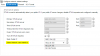
The issue was that after the upgrade the value highlighted was set to the IP of the VoIP provider instead of our public IP.

Again, it seems this new version has issues with upgrades.
 

Attachments

  • voiprovider.png
    voiprovider.png
    11.7 KB · Views: 1,228
Glad you got it working.

I have done a number of upgrades and have yet to run into the issue that you have. I can only guess that the original unsupported configuration that you had been using somehow or another caused some entries in the upgrade process to have been written in the wrong place.

I had 2 NICs installed in a 2009 installation and it was working too, but in a little different configuration. When I updated versions, it subsequently had issues and I went thru many of the same things. I think it was just a condition of the install picking up the first NIC It saw and binding to that one. In any event, after confirming the issue with 3CX support, I corrected and it (and all others) have had no issues with any upgrade since.

Good luck going forward.
 
Status
Not open for further replies.

Members Online Now

Forum statistics

Threads
111,835
Messages
589,289
Members
164,667
Latest member
Infinity Network