


- Joined
- May 5, 2020
- Messages
- 3
- Reaction score
- 0
As stated above 3CX only works Locally now. We have a Server setup onsite, but a few things happened to make it not work. So here is a breakdown summary of what happened.
Summary:
IT Person sets up 3CX everything Works Perfectly
About a Year latter Router Dies
Bought New Router
Setup New Router
IP Was Changed
Port Forwarded 3CX with New Router
Changed Select Network Card Interface to correct IP in Network Settings
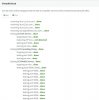
Ran Firewall Checker can do everything, but only locally (Below is a picture of it at the bottom). If i want to run 3CX from my home it fails to Register.
So basically my IT guys is extremely busy now and can no longer help me on this so i have to do this myself. I'm very confused why it's not working. My hunch is i need to redirect the IP to the new IP that we changed, but i can only find one place to change the IP in the 3CX System Manager which is the Network Settings and Select Network Card and the Extensions Phone Provisioning section.
Summary:
IT Person sets up 3CX everything Works Perfectly
About a Year latter Router Dies
Bought New Router
Setup New Router
IP Was Changed
Port Forwarded 3CX with New Router
Changed Select Network Card Interface to correct IP in Network Settings
Ran Firewall Checker can do everything, but only locally (Below is a picture of it at the bottom). If i want to run 3CX from my home it fails to Register.
So basically my IT guys is extremely busy now and can no longer help me on this so i have to do this myself. I'm very confused why it's not working. My hunch is i need to redirect the IP to the new IP that we changed, but i can only find one place to change the IP in the 3CX System Manager which is the Network Settings and Select Network Card and the Extensions Phone Provisioning section.


