3CX phone with Opus white band codec & conference call result in no sound

Status
Not open for further replies.

tvb

Joined
Aug 12, 2020
Messages
3
Reaction score
0
Hi

When using the codec Opus White Band combined with conference calls, the person who starts the conference doesn't hear the other caller. The other caller can still hear the person who started the conference. Using another codec doesn't have this problem.

IP phone used is from Yealink SIP T48S, firmware 66.85.0.5
network used IPv4
3CX version 16.0.622 professional perpetual


regards
Tom
 
Hi

When using the codec Opus White Band combined with conference calls, the person who starts the conference doesn't hear the other caller. The other caller can still hear the person who started the conference. Using another codec doesn't have this problem.

IP phone used is from Yealink SIP T48S, firmware 66.85.0.5
network used IPv4
3CX version 16.0.622 professional perpetual


regards
Tom
Small machine? Opus is heavy on the CPU. If you have only 1 or 2 vCores, use another codec.
 
Hi Frederic

machine has 6 vCores

regards
Tom
 
Sounds like some sort of bug but I wasn't able to reproduce it myself. I scheduled a conference call and dialed the local extension with a T48S that prefers Opus. Then called into the conference call from my cell. Had two way audio.

How exactly do you start your conference call?

Does the T48S show the Opus icon during the call?

What are your codec priorities under Settings -> General for both Internal and External?
 
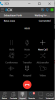
I start the conference call as follow :

i click on conference button :
1597387269016.png

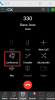
then i choose the person :
1597387283960.png

then normally I should talk with both, but always 1 is wating for..
1597387299303.png

codec priorities internals are : OPUS, G722, PCMU, GSM, PCMA, G729
codec priorities external are : OPUS, PCMU, G722, GSM, PCMA, G729

regards
Tom
 
Status
Not open for further replies.

Forum statistics

Threads
111,956
Messages
589,927
Members
164,858
Latest member
MichaelRussell3