3CX QR Code Not On Welcome Email

Status
Not open for further replies.

Luke Ivison

Customer
Joined
Jun 4, 2018
Messages
56
Reaction score
1
Hi

I anyone else having the issue of when you send the welcome email out to an extension the QR code is not showing or is not attached to the email? It clearly says at the bottom of the email that is attached.

Thanks
Luke
 
Some eMail and/or browser applications has an option "do not display images" or such kind of filtering which could prevent the QR code being shown.
 
Hi

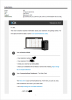
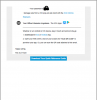
Images arenbt being blocked on the email i have received, we allow it to display images from 3cx and are able to see all other images. please see attached.

Thanks
Luke
 

Attachments

  • 3cx page 1.png
    3cx page 1.png
    59.2 KB · Views: 21
  • 3cx page 2.png
    3cx page 2.png
    26.4 KB · Views: 23
Yes, I have this same issue. The other attachments are there, but not the QR code. Additionally, on my 15.5 version, the QR code was attached. It only stopped after upgrading to 16.
 
Having the same issue, I don't see anything being blocked on the email side of things. It happened when upgrading to either 16 or 16.4
 
If you open the same welcome eMail on a different platform and/or browser (Windows, iOS, MAC) does it appear? I remember some time ago (~2 years) some customer having a problem with GMail app on mobile.
 
  • Like
Reactions: Evolute IT
@Luke Ivison @rgruber @pukkainc
I've talked with my teammates from tech support and they told me there are also two potential, known reasons for QR code not appearing in the welcome eMail - but, be aware, these are on the PBX side, therefore affecting any extension:
- a malformated custom welcome email template (in case a custom template is used)
- a problem with the SMTP mailer (not configured properly)
Hope it helps.
 
  • Like
Reactions: Evolute IT
Im having this issue.

3CX 16.0.504

SMTP using Office 365 to send email. Everything comes through but the QR code attachment.

I have another customer who are using 3CX SMTP and they do not get the QR code too.
 
I have the same issue on 3 client systems I have upgraded to 16.0.504.
 
In case the welcome email does not show the QR code only on android devices, but it shows it on all other platforms (iOS, MAC, Windows) then is a problem on Android device. But if the welcome email doesn't show the QR code regardless the platform/mai client used, then is a problem at the PBX side and definitely either you should move this discussion on 3CX Phone System - General topic, or directly contact our tech support (recommended) to assist you in troubleshooting.
 
@Vali_3CX last time I understood, this was a problem when receiving via office 365. Is this not the case now?

there was another discussion opened up which identified this and apparently it was being worked on.

ill have to test that by sending my personal email a welcome email but won’t be able to do that tomorrow.
 
This was listed as a fix that was coming on the most recent release. After updating...it is still not fixed.

Using outlook 365 client (work email) - no QR code. But I'm still using exchange 2010 SP3, and when using Outlook Web App...QR Code is attached. So I was thinking the problem is the local outlook application. BUT...I have my gmail setup as an account on my Outlook. When I update my email in 3cx to use my gmail and resend welcome email...I get the QR attachment. So its not the actual client app causing the issue.

With every admin rushing to get every single person to work from home...bad timing for this bug. o_O
 
I've had it from 3CX that this is a bug that will be fixed in update 5. But, no ETA on update.
 
I advised you to post this issue on the PBX forum or to contact tech support - me I cannot help you because I'm not familiar with such kind of PBX configuration.
 
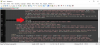
In the meantime you can add this manually by adding the QR code variable into the Welcome Email HTML code (go to Settings -> Email Settings -> Email Templates -> select Welcome Email in the dropdown). Have this added to line 104 (just below the < br >) although you can put it anywhere you like. The variable is %%QRTAG%%

I'm not sure if any 3CX updates will overwrite this in future.

QRTAG.png
 
that worked perfect. thank you!
 
Status
Not open for further replies.

Members Online Now

No members online now.

Forum statistics

Threads
111,832
Messages
589,285
Members
164,662
Latest member
DejanMDS