- Joined
- Oct 17, 2024
- Messages
- 2
- Reaction score
- 0
Hi there,
I'm not sure this is the right place to post this, but the SMB Free webpage pointed me to the forums for support, and this seems to be the only forum I can post in.
I'm trying to set up 3CX SMB Free with VoiceMeUp. I've followed both 3CX's SIP Trunk Setup guide (along with their Outbound Rules Guide), as well as VoiceMeUp's 3CX PBX Configuration Guide (unfortunately, you need a login to view that one). Not all of the settings in those guides exist in the SMB Free version, but it seems like I've hit everything important.
Incoming calls are working fine, and show up in both 3CX's call log and VoiceMeUp's call log. The digital receptionist works fine, the router phone rings, all perfect.
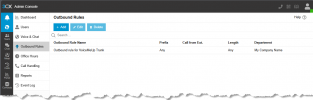
Unfortunately, outgoing calls give me the voice message "The destination is not available, not registered, or there are no routes available".
Here's what does or (sort of does) work:
Status: Unanswered, Reason: Busy, forwarded to PBX
Status: Answered, Reason: Terminated by Yorgason, Rick
Any ideas? I'd also love to find out if there's any way I can get real troubleshooting logs from SMB Free - I feel like I'm shooting in the dark trying to troubleshoot this problem using just the call log.
I'm not sure this is the right place to post this, but the SMB Free webpage pointed me to the forums for support, and this seems to be the only forum I can post in.
I'm trying to set up 3CX SMB Free with VoiceMeUp. I've followed both 3CX's SIP Trunk Setup guide (along with their Outbound Rules Guide), as well as VoiceMeUp's 3CX PBX Configuration Guide (unfortunately, you need a login to view that one). Not all of the settings in those guides exist in the SMB Free version, but it seems like I've hit everything important.
Incoming calls are working fine, and show up in both 3CX's call log and VoiceMeUp's call log. The digital receptionist works fine, the router phone rings, all perfect.
Unfortunately, outgoing calls give me the voice message "The destination is not available, not registered, or there are no routes available".
Here's what does or (sort of does) work:
- 999 (Echo) - This works fine, shows up in the 3CX call log, but doesn't show in the VoiceMeUp call log.
- 211 connects to an empty line. Shows up in the 3CX log, but not VoiceMeUp's call log.
- 411 connects to a directory service. Shows up in the 3CX log, but not VoiceMeUp's call log.
- 711 connects to an automated prompt in French. Shows up in the 3CX log, but not VoiceMeUp's call log.
- Our own phone number - This works fine (connects to the digital receptionist set up on 3CX) and does show up in VoiceMeUp's call log.
Status: Unanswered, Reason: Busy, forwarded to PBX
Status: Answered, Reason: Terminated by Yorgason, Rick
Any ideas? I'd also love to find out if there's any way I can get real troubleshooting logs from SMB Free - I feel like I'm shooting in the dark trying to troubleshoot this problem using just the call log.