3CX StartUP on Starlink (uses CGNAT)

Status
Not open for further replies.

rayt

Silver Partner
Advanced Certified
Joined
Jun 25, 2019
Messages
87
Reaction score
79
Hi,

I have a customer that has Starlink, which uses CGNAT and it appears that his handset won't work (I haven't tried testing it yet).

I have my own 3CX instance hosted on Azure and also use Starlink and it works fine, though my handsets are using STUN, which I understand isn't available on StartUP.

My question is, if he uses an SBC or IP phone/router, will this work?

Any other suggestions?

Thanks,
Ray
 
Yes an SBC/router phone is required, and the tunnel obviates the need for STUN. Done correctly STUN uses inbound port forwards.
 
Great. Thanks Steve. I'll set up an SBC and test.
Cheers
 
Hi @rayt ,

I work for a company that also has some starlink residential deployments and we are also looking at running 3CX in the cloud. Did your test with the SBC work out successfuly and do you have this in production now? Any feedback that you're willing to share about pros\cons with that setup?

Tristan
 
Hi,
I have an SBC under a starlink residential connections and It work perfectly with a 3cx hosting
 
Hi @rayt ,

I work for a company that also has some starlink residential deployments and we are also looking at running 3CX in the cloud. Did your test with the SBC work out successfuly and do you have this in production now? Any feedback that you're willing to share about pros\cons with that setup?

Tristan
Hi Tristan,

Yes, I've now set up an SMB Free PBX with both a seperate SBC (on an old Windows PC) and using a new IP phone (Fanvil V65) on sites with Starlink. Both work perfectly well and are very easy to set up.

The only "con" that I'd mention is to be very carefull with the 3CX Free/SMB versions. They've stripped out a lot of the "standard" features that I was used to using, which are still in the Pro and Ent versions. You can still deploy these higher versions in a "private" cloud though (eg AWS, Azure, etc) if necessary and get all of that functionality, but its going to increase the price to the client. Also be aware that the SBC/IP phone apparently has to have a cabled connection (not WiFi), though I haven't tested this myself to confirm it.

At the moment, the 3CX pricing/features website still shows these features (eg IVR, queues, etc) as being available in Free/SMB, when they aren't. I'd suggest you try out a Free version yourself first, before promising ANY features to a client, as you might be in for a rude shock when you go to deploy it onsite.

Otherwise, all good .
 
@rayt - Your post is not correct. 3CX SMB has call queues and multi level IVR and yes you have to pay for that. And pricing page shows this very clearly.
 
  • Like
Reactions: IrinaP_3CX
Hi
@rayt - Your post is not correct. 3CX SMB has call queues and multi level IVR and yes you have to pay for that. And pricing page shows this very clearly.
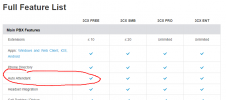
Hi Nick. Thanks for chiming in, but you must be looking at a different page to me:
1694669209057.png

And as you yourself said in a previous post:

"Jul 5, 2023
There is a single level IVR in 3CX FREE - that means you can have a welcome message and route calls to a ring group based on office hours. With 3CX FREE you have a complete system, including a sip trunk, deskphones, live chat even whatsapp. Yes if you want multi level IVR you need to pay a whopping $150 a year."

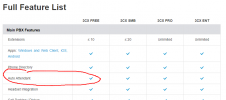
Splitting the IVR into "multi-level IVR" (for SMB) and "Auto Attendant", ie. welcome message (for Free version) I feel is misleading, as the welcome mesage doesn't allow you to have any options for the caller, it's simply a "hi" message before routing the call to a fixed destination, and is therefore completely superfluous.

My advice to Tristan was simply to do his homework first, before promising anything.
 

Attachments

  • 1694669337153.png
    1694669337153.png
    30.3 KB · Views: 2
There is an auto attendant in 3CX Free - Just single level.

Correct pricing page is https://www.3cx.com/ordering/pricing/ linked at the top menu. And the full feature list is also correct and clearly shows that call queuing is not part of free.
 
Last edited:
There is an auto attendant in 3CX Free - Just single level.

Correct pricing page is https://www.3cx.com/ordering/pricing/ linked at the top menu. And the full feature list is also correct and clearly shows that call queuing is not part of free.
The wording is confusing tho. An auto-attendant gives options with a menu, the free version is only an audio prompt that can be played before sending to a destination. It would be better worded if it didn't say auto-attendant for the free one.

It's like the 10th person I see confused by that.
 
  • Like
Reactions: bitn2
There is an auto attendant in 3CX Free - Just single level.

Correct pricing page is https://www.3cx.com/ordering/pricing/ linked at the top menu. And the full feature list is also correct and clearly shows that call queuing is not part of free.
Hi Nick,

Yes, I'm sorry, my post was (on reflection) misleading. What I meant to say is that with both an SBC and an IP phone it worked flawlessly on Starlink, regardless of which version of 3CX you are using. It was simple and easy to set up .

My comments regarding the features for different licences aren't really relevant. Afterall, free versions shouldn't provide a full feature set, otherwise who would pay for it and keep 3CX in business!
 
  • Like
Reactions: N_G
SBC/IP phone apparently has to have a cabled connection (not WiFi),
3CX doesn't support using Wi-Fi for phones because of the inherent connectivity issues with Wi-Fi. Per other posts and at least once when I've tried it (Yealink), one can set up a router phone using a wired connection then change it to Wi-Fi. I am not sure I'd want to run other phones through it that way, but it works to make that phone portable across networks.
 
Status
Not open for further replies.

Members Online Now

No members online now.

Forum statistics

Threads
111,831
Messages
589,277
Members
164,660
Latest member
RJenkinsROCK