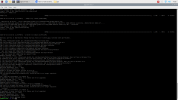
Here is the screenshot of the terminal.You are following the instructions here https://www.3cx.com/docs/installing-pbx-raspberry-pi/
Make sure you download the correct os - step 2.1
If this does not work, please post the error message
I used a wireless network to download 3cx. I then decided to static the raspberry pi and now it won't connect to 3cx. WIll I have to redo the process with the static ip?You are apparently running Debian Bullseye which is not supported.
Now upon using the static ip, I cannot get into my 3cx machine by ip address. Any suggestions?I used a wireless network to download 3cx. I then decided to static the raspberry pi and now it won't connect to 3cx. WIll I have to redo the process with the static ip?
Already done all of this.
If you followed this then you wouldnt be having problems.Already done all of this.
Founded in 2005, when VoIP was an emerging technology, 3CX has gone on to establish itself as a global leader in business communications.