3CX V20 Ring Group/Queue Failure

Abe-C

Customer
Joined
Jan 23, 2024
Messages
11
Reaction score
2
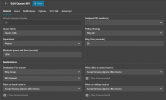
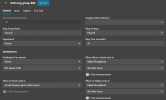
Install is on premises 3CX Version 20.0 Update 7 (Build 1080 Release). General ring group is set and queue is set. If call is not picked up within 20 seconds it rolls to the queue. This has always worked, for years, but no longer after the last update. As I found this morning, it does not matter where I attempt to have the call routed if no answer, all routes fail.
 

Attachments

  • Queue.png
    Queue.png
    19.3 KB · Views: 13
  • Ring group.png
    Ring group.png
    18.7 KB · Views: 13
Does this happen for internal calls?

what does it show in call log?
 
@Abe-C
the call comes to the PBX at 13:28:09 and at 13:28:30 your provider sends 480 Temporarily Unavailable.
Put the timer on the Ring Group on 15 seconds and not 20.
Then try again.
It seems the Ring Timeout of the Provider side is on 2o seconds so this creates conflict.
Also, delete the Support Info you have attached.


27/01/2026 13:28:30:964 | 12 | L:1127.1[Line:10000<<407-375-0071{00000000-01dc-8f90-c763-1b01000027d4}] onReadyToSend: Send Send 480/INVITE from 0.0.0.0:0 tid=ac916086941 Call-ID=[email protected]:
SIP/2.0 480 Temporarily Unavailable
Via: SIP/2.0/UDP 192.168.0.6:5060;branch=z9hG4bKac916086941
To: <sip:[email protected];user=phone>;tag=e873131d
From: "ABE" <sip:xxxxxx@xxxxx;user=phone>;tag=1c158239716
Call-ID: [email protected]
CSeq: 1 INVITE
Warning: 499 xxxxxxxxxxx.tx.3cx.us "Not available"
Content-Length: 0
 
@Abe-C
the call comes to the PBX at 13:28:09 and at 13:28:30 your provider sends 480 Temporarily Unavailable.
Put the timer on the Ring Group on 15 seconds and not 20.
Then try again.
It seems the Ring Timeout of the Provider side is on 2o seconds so this creates conflict.
Also, delete the Support Info you have attached.


27/01/2026 13:28:30:964 | 12 | L:1127.1[Line:10000<<407-375-0071{00000000-01dc-8f90-c763-1b01000027d4}] onReadyToSend: Send Send 480/INVITE from 0.0.0.0:0 tid=ac916086941 Call-ID=[email protected]:
SIP/2.0 480 Temporarily Unavailable
Via: SIP/2.0/UDP 192.168.0.6:5060;branch=z9hG4bKac916086941
To: <sip:[email protected];user=phone>;tag=e873131d
From: "ABE" <sip:xxxxxx@xxxxx;user=phone>;tag=1c158239716
Call-ID: [email protected]
CSeq: 1 INVITE
Warning: 499 xxxxxxxxxxx.tx.3cx.us "Not available"
Content-Length: 0
Nikos,

just curious - did you go straight to the Bin Log Viewer to diagnose this?
 
@Alphabetic yeappp BLV shows everything
I also opened the Queue Manager logs until BLV loads to take a look and check if the agents are logged in to the Queue 801 just to be sure.
Example :

Ag.211 Dial:211 Logged-IN Reg: Yes; Qs: [+801]
 
@Alphabetic yeappp BLV shows everything
I also opened the Queue Manager logs until BLV loads to take a look and check if the agents are logged in to the Queue 801 just to be sure.
Example :

Ag.211 Dial:211 Logged-IN Reg: Yes; Qs: [+801]
Nice.

I lack the troubleshooting knowledge at this side of 3CX, so it's handy to know :)
 
  • Like
Reactions: NikosT_3CX
I changed the value but not had the chance to test yet. Users are 100% logged into all pertinent queues.
 
Made both changes but call is still abandoned when it should roll to queue.
 
@Abe-C since you have a partner, I would recommend contacting them and tell them to open a ticket on our support portal so we can take it from there.
 
Will do, thanks.
 
  • Like
Reactions: NikosT_3CX

Forum statistics

Threads
111,953
Messages
589,914
Members
164,850
Latest member
masvty