3CX VPN Setup

Status
Not open for further replies.

Skywalker42

Bronze Partner
Joined
Sep 2, 2023
Messages
26
Reaction score
1
Our 3CX was recently rolled back from v20 to v18 ... unfortunately the Public IP address of the instance changed.

Question:
- How is VPN configured between 3CX and an OnPrem firewall? Our on-prem firewall has been updated with the new IP, what settings on the 3CX side need to be configured to establish a VPN?


Thanks for your assistance!
 
I am a bit confused, as there is no inherent 3CX VPN. The server is in your office and you need external users to connect? Is it using a 3CX FQDN? That has a 6h TTL for Pro and 5 minutes for Enterprise. If it isn’t updating switch the network setting/radio button in the 3CX GUI to dynamic, then back again to static after it updates.
 
  • Like
Reactions: Evolute IT
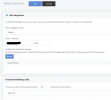
The issue we are trying to solve to solve is the "Hotel Services" application hosted on prem will no longer connect in to 3CX ... how does this communicate back to on-prem considering the IP address in 3CX is an internal IP address? (our 3CX instance is hosted in AWS).

1707884689039.png
 
There is no VPN between your 3CX in AWS and on prem natively.

You may have your phones set up to use an SBC but this feature doesnt use that.

if your WAN IP has changed at the AWS end then you'll need to configure your firewall to allow this IP to come in on the port.
 
  • Like
Reactions: Evolute IT
^ that

It was a long day and I again forgot the "On-Premise" category includes "hosted in an external data center." :)
 
How does the Hotel Management feature connect back to on-prem if the 3CX instance is hosted in Public Cloud? I can only see a private IP in the settings. We were assuming it must somehow connect via the SBCs.
 
Per https://www.3cx.com/docs/pms-integration/#h.4gcutr9yhvti "The 3CX Fidelio protocol integration acts as a client. This means that in this case, messages will be sent from the 3CX Hotel Module to the Fidelio Management System." I haven't set it up myself yet but it seems like you'd use your hotel's public IP and NAT forward the port as mentioned above.

Or, was some other VPN connecting the two, perhaps, that was undone by the new instance?

(Not sure why part of my post above is crossed out...some formatting quirk I guess)
 
  • Like
Reactions: Evolute IT
How does the Hotel Management feature connect back to on-prem if the 3CX instance is hosted in Public Cloud? I can only see a private IP in the settings. We were assuming it must somehow connect via the SBCs.
You might be using an Amazon Virtual Private Cloud (VPC) to establish a VPN connection between your office (local site) and your AWS environment. In this scenario, you likely have an AWS Site-to-Site VPN, which allows you to connect your local network to AWS's VPC through a secure VPN connection. This service does not require you to install a specific VPN service on your 3CX VM, as the connection is established at the network level through AWS's VPN gateways.

Here's how it typically works:

- **VPC**: Check if you have a VPC in your AWS EC2 account where 3CX is running.
- **VPN Gateway**: If so, you likely have a Virtual Private Gateway in the AWS VPC, serving as the anchor point for VPN connections.
- **VPN**: If that's also the case, you probably have a Site-to-Site VPN.
- The VPN connection can be checked in your office router.
- **Traffic Routing**: Go back to your VPC, validate the routing tables to allow communication between the new 3CX VM and your local network via the VPN.

AWS provides detailed instructions and guides for setting up Site-to-Site VPN.

This pertains more to network logic and not to 3CX logic.
3CX recommends NOT installing a VPN service on the VM where 3CX runs.
 
Status
Not open for further replies.

Forum statistics

Threads
111,973
Messages
590,079
Members
164,899
Latest member
mazet