


- Joined
- Feb 28, 2020
- Messages
- 4
- Reaction score
- 0
Hello,
We are testing a new installation of 3CX Phone System v20, created few users, now trying to install the 3CX Softphone Windows App from Microsoft Store.
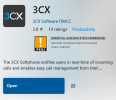
All seems to go well except that after installation completes, the "Open" button on the store apparently does nothing
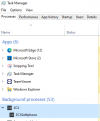
We find the 3CX Softphone only running on the background: no icon on the task bar nor GUI.
Also the "Provision" button does nothing apparently...
Tried uninstalling/reinstalling/rebooting/updating Windows/crating new user/trying again.. no luck.
Anyone can tell what we are doing wrong?
Thanks!
RA
We are testing a new installation of 3CX Phone System v20, created few users, now trying to install the 3CX Softphone Windows App from Microsoft Store.
All seems to go well except that after installation completes, the "Open" button on the store apparently does nothing
We find the 3CX Softphone only running on the background: no icon on the task bar nor GUI.
Also the "Provision" button does nothing apparently...
Tried uninstalling/reinstalling/rebooting/updating Windows/crating new user/trying again.. no luck.
Anyone can tell what we are doing wrong?
Thanks!
RA


