- Joined
- Mar 27, 2025
- Messages
- 6
- Reaction score
- 1
Hi,
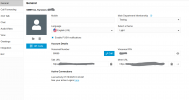
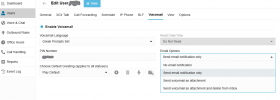
A while ago, I bought an analog phone for my sister and set it up using a Grandstream HT801 ATA connected to my SBC (running on a raspberry pi 4B). And now I'm trying to figure out how to set up voicemail for her. When I login as admin for the system, voicemail is enabled on her account. When I dial *97 (as instructed by ChatGPT), it asks for a mailbox number. I enter in my sisters extension. It asks for a password, and I enter the PIN Number that is listed under the voicemail settings of her account. I did notice that she got a new email from 3cx saying that she got a voicemail. When I dial her extension from the analog phone, it just says something along the lines of "No route was found". What am I doing wrong?
A while ago, I bought an analog phone for my sister and set it up using a Grandstream HT801 ATA connected to my SBC (running on a raspberry pi 4B). And now I'm trying to figure out how to set up voicemail for her. When I login as admin for the system, voicemail is enabled on her account. When I dial *97 (as instructed by ChatGPT), it asks for a mailbox number. I enter in my sisters extension. It asks for a password, and I enter the PIN Number that is listed under the voicemail settings of her account. I did notice that she got a new email from 3cx saying that she got a voicemail. When I dial her extension from the analog phone, it just says something along the lines of "No route was found". What am I doing wrong?