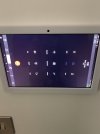
Amazon Fire HD 10 Fire OS

Status
Not open for further replies.

akhan

Free User
Joined
Dec 2, 2022
Messages
7
Reaction score
4
Has anyone managed to get 3cx app to work on Amazon Fire HD - Fire OS.

I know it isn't proper Android but I was just wondering if anyone had any luck. Just with the initial install from Google Play, it doesn't allow calls make or receive but the chat works.

Said something like call was blocked by telecom. Not sure how to check the logs on it need to figure that out.

I'm new to 3cx and totally bummed that it doesn't work as I have 3 devices up on the wall as part of my smart home and was hoping it would just work.

Need to try to find some alternatives to 3cx if there is no solution. I can't invest in 3 android only tablets.

 
If something on the tablet is blocking the 3CX App from working, it's not 3CXs fault. While there may be a work-around, you are going to have to search to find it, and it might involve installing a "real" version of Android on the tablet. People tend to buy the Amazon tablet for one of two reasons...it's less expensive, and/or they make use of the applications that Amazon offers, so it's simple (straight forward) to use.

Here is the response from 3CX, about attempting to use the Amazon OS tablet, with the 3CX App.

https://www.3cx.com/community/threads/android-app-does-not-rings-nothing.80815/
 
Yeah agreed I wasn't implying it's 3cx fault, I was just hoping someone solved it.
Oh well ill see if there's any alternatives out there other than 3cx that might support it. Thanks
 
I'm not really clear on what you are trying to achieve. If you are running the 3CX PBX, and wanted to run the 3CX App on a device, so you can place calls, they there may be an alternative SIP App that will work and allow basic calling. 3CX will support standard SIP devices and softphones. For anything more complicated than that, then you may be out of luck using this particular device.
 
Hi Lee
Yes that’s exactly it I’m just trying to use the 3cx app on the Amazon fire HD to receive and place calls internally and externally but just for the family using extensions only right now. My tablets are on the wall.

I need to bring in my landline number at some point have done the porting request.

I will check if there’s any other apps that will work on this thanks thought I had to use 3cx app.
 

Attachments

  • image.jpg
    image.jpg
    610.7 KB · Views: 6
I haven't looked recently, but I'm sure that there are a number of Android SIP Apps available. Whether or not, you encounter the same issue, when trying to use then on the Fire OS, I can't say.

If you feel "adventurous", there are a number of tutorials dealing with replacing the Fire OS, with a standard Android version, if you do a search.
 
It might work if you disable the Telecom API in 3CX settings (app settings)
 
Tried Steps on page 2 also didn't see those. Ipv6 disabled, mac was already set. Use the email address this time and opened the config file with 3CX from the email attachment.
But still same I can call iphone from it (even though the video is upside down) :)
But no luck from the iphone to the Tablet.
 
  • Like
Reactions: Evolute IT
@akhan
You may try to turn ON the Keep Active functionality in Android client advanced settings.
 
  • Like
Reactions: Evolute IT
FireOS doesn't have FPN likely (firebase push notification) likely, so it won't get push notifications.

So disable Push on the extension (or not) and use keep alive (which uses more battery) and maybe it will ring. Or maybe not, FireOS, while being built on AOSP, is heavily modded by Amazon and not tested by 3CX.

What I don't get it why, if you've decided to go the FireOS route, you don't use the tools designed for it? Like buying an Android and saying "why doesn't iMessage work?". If you want iMessage (in this example), just buy an iOS device. If you want FireOS, use Amazon's calling system. If you want 3CX, use a supported device.

Best of luck!
 
  • Like
Reactions: N_G
Hi Vali that was the missing piece it works thank you. I can now make calls from Amazon fire Hd 10 and also receive calls. Perfect!!! Thanks for taking the time to assist.

Only downside is the orientation doesn’t work properly but I guess that’s because it’s not supported so there’s nothing I can do. When I’m not in a call the orientation is correct but when I receive a call it goes wrong. If there are any suggestions let me know.

SweetAction thank you. You are absolutely right and I didn’t do research before setting up my home 3cx server. Also I’m a total newbie to VoIP and telecoms stuff so I do lack a lot of knowledge on this area so learning as I go which is why I really appreciate the help and support on this forum.
 

Attachments

  • A0843512-680C-46D1-9C87-EFC32D99B36E.jpeg
    A0843512-680C-46D1-9C87-EFC32D99B36E.jpeg
    1.4 MB · Views: 4
I used an forcr orientation app from google play to solve that issue so now everything works perfectly. Except when the iPhone calls the tablet as a video call the image is upside down on the iPhone. So getting there for a fully working solution.
 
Status
Not open for further replies.

Members Online Now

No members online now.

Forum statistics

Threads
111,831
Messages
589,277
Members
164,660
Latest member
RJenkinsROCK