ANDROID 10 (google pixel 3) : Call is in silence notification

Status
Not open for further replies.

davidgeslin

Forum User
Joined
Sep 13, 2019
Messages
11
Reaction score
0
Hi,

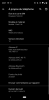
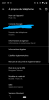
I update my Google Pixel 3 XL on Android 10 (release and not beta) and now, calls don't appear as call notification but "small" notification (like a like on facebook or other).
So, i always miss call because i don't have Ring or Viber.

I've tried to update 3CX to beta version and it is the same.

Is it in your backlog to work with Android 10 please?

Thanks.

David
 
I am having the same problem once updating to Android 10. Inbound calls no longer pop up on the screen like a normal inbound phone call. You will hear the call ring, but the only notification is a small notification like a messenger type app. In order to answer a call, you need to find and launch the app.

This also happens with Zoiper for me on Android 10, so I am assuming something pretty big changed with Android 10 and the way alternate calling applications work on it.

I assume you have seen this issue. Do you have any status on a workaround or fix?
 
Yes android 10 changed its notification scheme. even the standard answering dialog of whats app has been replaced with a notification bar.

I believe that this will not remain like this and android 10 will see an update that corrects this - but this is OS level not a decision by 3cx.

Also when android 10 was beta, the notification was one way. When it was released, it changed again.
So I believe that Android 10, is still experimenting.. withstanding claims that it is final. Nothing is ever final on Android..
 
Thx for your answer.

Do you know when a patch will be added please ?

You know 3CX will be useless on Android without correct calls notification...

Have a nice day
 
Thx for your answer.

Do you know when a patch will be added please ?

You know 3CX will be useless on Android without correct calls notification...

Have a nice day

A patch for what?
Why useless? Whats app is the same.. And last I checked there are a billion people using it.. And it still works.
You can still answer calls - just not with the normal dialog.. with their notification.
Let me try to explain better::
Imagine / well not imagine because it happened - Remember when Windows removed the start button? OK now Android 10 removed the launch app ability and replaced it with a notification.

The fix or whatever you want to call it, is not in our hands.. It is in Android's hands.. nothing we can do for now. UNLESS you show me an app, that bypasses this.

If you can show me an app, that does not behave like this, we will dig.. I really hope you can find.. because whats app and telegram behave like this on android 10.
 
I would agree the the app is almost useless with this issue that apparently Google has forced on you.

If my phone is off, and it starts to ring, I have to turn my phone on, go through my security screen, find the notification, get to the notification then answer the call and hope it is still there. If I'm driving, there is zero chance I can do this safely and I won't even try.

And even if I'm not driving I'm finding the call has moved on to voicemail by the time I'm able to get through all these steps.

By the way, I just tested the latest Zoiper beta on my FreePBX asterisk system and it IS working, so they HAVE solved the problem. The stable version of Zoiper exhibited the exact same problems your app does.
 
  • Like
Reactions: nb
I would agree the the app is almost useless with this issue that apparently Google has forced on you.

If my phone is off, and it starts to ring, I have to turn my phone on, go through my security screen, find the notification, get to the notification then answer the call and hope it is still there. If I'm driving, there is zero chance I can do this safely and I won't even try.

And even if I'm not driving I'm finding the call has moved on to voicemail by the time I'm able to get through all these steps.

By the way, I just tested the latest Zoiper beta on my FreePBX asterisk system and it IS working, so they HAVE solved the problem. The stable version of Zoiper exhibited the exact same problems your app does.


I thank you for trying.. But the code should not work in the way you are saying. I trhink you have an old version. Go to burger menu, about and give me the number you seer there.
It should be 16.1.0.39.
 
16.1.0.39 is what it says. I installed the beta, rebooted my phone just to be sure before doing these tests.
 
Why useless? Whats app is the same.. And last I checked there are a billion people using it.. And it still works.
It works on Android 9 not 10.

I understand what you say, I'm just asking for a patch to continue using 3CX on Android.
 
If you are the one of the video, did you send me the model?
 
Then send me your full model..
I need to know Settings > About phone.
Put the model here.
We need to make an exception to allow the app (3CX) to interact with lock screen.

If you want this fix in the next updates, you need to be quick because im freezing another build..
 
Thx!

Ask for another informations
 
Can you make a quick test
Can you uninstall the app and install it again. After installation, qr immediately, touching nothing and call and see if the notifications come up.

We are thinking that you enabled and disabled something in settings. The settings will look OK but in reality internals will not be set.

Anyway - it is hard to explain because It might be a refresh bug in Android 10. So uninstall and install again and let me know.
 
Hello,

I tried this 2 weeks ago and it was the same.
BUT today, before uninstall, I REMOVE CACHE + REMOVE DATA APP.

Uninstall + Install again and it works !

Thank you very much for your advice.

@tdtech the final process is :
  1. open app setting
  2. remove cache
  3. remove data app
  4. uninstall
  5. install again
  6. flash QR code
  7. Test Echo call
  8. Accept all permissions
--> It's OK
 
Hello,

I tried this 2 weeks ago and it was the same.
BUT today, before uninstall, I REMOVE CACHE + REMOVE DATA APP.

Uninstall + Install again and it works !

Thank you very much for your advice.

@tdtech the final process is :
  1. open app setting
  2. remove cache
  3. remove data app
  4. uninstall
  5. install again
  6. flash QR code
  7. Test Echo call
  8. Accept all permissions
--> It's OK

I will explain what happened.. a bit busy now, but maybe. You most probably touched settings in App info.Android 10 is in beta.. When you touch these settings, and even if you set them back, internally some things get broken and the app remains installed with a broken channel below. Only solution is to reinstall.

Do not touch anything in the app info section. Do not trust that ui because it shows that call notifciations are ok, but in reality they would not be. (even though they show checked)
 
Thanks for your explain.

One thing, Android 10 is not in bêta. Google pixel get it first ant or begin for another.

Whatever, it works and thanks again.
 
Status
Not open for further replies.

Members Online Now

Forum statistics

Threads
111,832
Messages
589,286
Members
164,662
Latest member
DejanMDS