- Joined
- Feb 13, 2020
- Messages
- 5
- Reaction score
- 1
At my place (ouside of the network where the 3CX pbx is located) I have two android phones provisionned to the same 3CX extension.
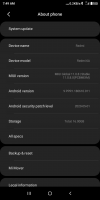
Everything has been running well for a while. But since the past few weeks my Android 9 phone with 3CX 16.7.8 never rings anymore.
My older phone which runs Android 6 with 3CX 15 legacy still works well and receives push notifications.
I do not believe the problem is linked to my extension or to the PBX configuration in any ways since one of my Android phones receives push notifications while connected to the same wifi network.
I have reinstalled the 3CX app in my Android 9 phone and re-provisionned my extension but that does not fix the issue.
I have also ensured that the 3CX app is not restricted in any way in the "Battery Saver" settings.
I'm not sure what to do next... Anybody can assist me with this issue?
Thanks Vincent
Everything has been running well for a while. But since the past few weeks my Android 9 phone with 3CX 16.7.8 never rings anymore.
My older phone which runs Android 6 with 3CX 15 legacy still works well and receives push notifications.
I do not believe the problem is linked to my extension or to the PBX configuration in any ways since one of my Android phones receives push notifications while connected to the same wifi network.
I have reinstalled the 3CX app in my Android 9 phone and re-provisionned my extension but that does not fix the issue.
I have also ensured that the 3CX app is not restricted in any way in the "Battery Saver" settings.
I'm not sure what to do next... Anybody can assist me with this issue?
Thanks Vincent