Solved Android app not ringing. All other functions work

Status
Not open for further replies.

second2n0ne

Customer
Intermediate Cert.
Joined
May 8, 2019
Messages
12
Reaction score
2
Running 3cx v16.0.3.676 and Android app v16.1.0.41. I have push set to my own account and checked the status profile to make sure push was enabled. I also reverted the push account to 3CX and still does not ring any of my users Android apps. IOS is unaffected. I tried the 15.5 legacy app and it works! I checked logs and could not see any issues. Can someone suggest something that I am overlooking?
 
Hello @second2n0ne

I would suggest before making any further changes to try installing the new app rather than the legacy, but send a fresh provisioning email to yourself and provision it this way.

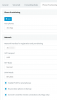
PUSH must be enabled on the status, but also on the extension provisioning tab:

12830
 
  • Like
Reactions: exsocom
JohnS your suggestion to reinstall the latest app and resend the welcome email worked, thank you! Prior to following your suggestion, I tried reinstalling the app and scanning the QR code from the extensions tab with no luck. I was reluctant to try your suggestion but why would this have worked from the email vs the extension tab?
 
Allow me to explain in detail:

The QR code as appears in the management console is dynamic. This means that if you log on to your management console using the local IP of the PBX, it will build a provisioning link with the IP.

Same goes if you login via the FQDN, it will build a link using the FQDN.

Now depending on how your mobile connects to the internet in relation to the server, it may not be able to reach the link in the QR code. If you use a QR scanner app, it will reveal the link to you (in case you want to compare and see how it works, and justify why it failed).

The email on the other hand, will include the FQDN. So when your mobile tries to reach the FQDN externally (ie from LTE or from some public WiFi) it will succesfully reach your server and provision as intended.

Now there is also a special case scenario, where you scan the email-QR while you are in the office, connected to the same lan as the PBX: your firewall will see that you are requesting to connect to your public FQDN's IP while you are behind that same public IP (you loopback from inside, to outside, and back inside again) and many firewalls tend to not allow this.
 
  • Like
Reactions: apostolis_3CX
Thank you for the valuable information. I was pulling my hair out on this issue! RESOLVED!
 
I'm glad to hear :)
 
Status
Not open for further replies.

Members Online Now

Forum statistics

Threads
111,831
Messages
589,277
Members
164,660
Latest member
RJenkinsROCK